
Tracking every coin listed on Coinbase sounds simple. In practice, which list do you trust when one source shows consumer assets, another shows exchange markets, and a third gives you symbols that still need cleanup before TradingView will accept them?
That distinction matters if the goal is a usable watchlist, not a rough headcount. Coinbase presents assets through several surfaces, including its consumer app, exchange venue, and APIs. Third-party aggregators add another layer, and each one answers a slightly different question. Some are good for checking whether an asset exists on Coinbase. Others are better for finding active trading pairs, exportable data, or symbols you can map directly into TradingView.
Coinbase remains a large U.S. crypto venue by listed assets and market activity, which is why traders keep coming back to it as a reference exchange. CompaniesMarketCap tracks Coinbase's exchange scale and market context here: Coinbase on CompaniesMarketCap. Backlinko also notes Coinbase's broad asset support on its platform here: Coinbase statistics and user data.
The practical problem is workflow friction.
A coin can appear in a consumer-facing list but not in the format TradingView needs. An exchange page may show the market, but not in a clean export. An API may be the best raw source, but it still requires symbol mapping and a quick sanity check against chart availability.
This guide compares seven working ways to track coins listed on Coinbase, from official Coinbase pages and APIs to CoinGecko, CoinMarketCap, TradingView's screener, and a purpose-built tool. The focus is simple: which source is fastest, which is cleanest, and which one gets you to a ready-to-use TradingView watchlist with the least manual work.
Table of Contents
- 1. TradingList
- 2. Coinbase Explore / Prices (consumer platform)
- 3. Coinbase Exchange assets page (institutional venue)
- 4. Coinbase APIs (Advanced Trade and International/Exchange)
- 5. CoinGecko Coinbase Exchange markets page
- 6. CoinMarketCap Coinbase Exchange markets page
- 7. TradingView Crypto CEX Screener (filter by exchange = Coinbase)
- Coinbase Listings: 7-Source Comparison
- From Raw Data to a Ready-to-Use Watchlist
1. TradingList
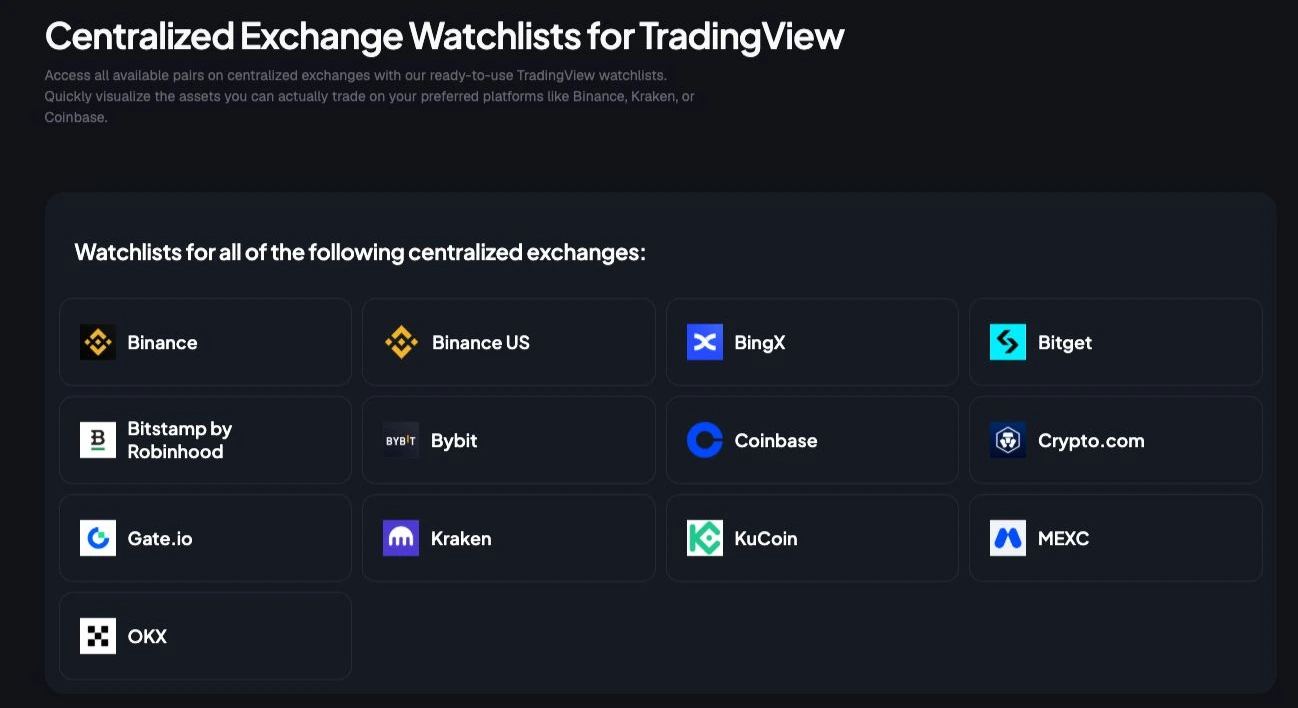
Need a Coinbase coin list that is already usable in TradingView, instead of another page to clean up by hand?
TradingList takes that angle. Rather than starting with a raw directory and leaving symbol prep to the user, it produces exchange-specific watchlists in a format that fits TradingView imports and day-to-day chart work. For this article's seven-source comparison, that makes it meaningfully different from Coinbase pages, APIs, and aggregator listings. The product is built around the final output, not just discovery.
That matters in practice. A Coinbase list is only half the job. The slow part is usually converting names into chartable tickers, checking exchange prefixes, and breaking oversized lists into chunks that TradingView will accept.
Why it works for TradingView users
TradingList is strongest for execution. If the goal is to monitor Coinbase-listed coins inside TradingView, pre-formatted exports remove a lot of repetitive cleanup.
Its tools are organized around slightly different workflows:
- Standard watchlists: Ready-made lists grouped by exchange, market cap, category, or ecosystem.
- Custom crypto watchlists: User-defined lists based on supported exchange, pair, market cap, category, or ecosystem filters.
- ScreenerList: A filter-driven way to build symbol sets from market criteria.
- DeltaList: A comparison tool for finding differences between a reference list and exchange or market variants.
- FusionList: A way to merge several watchlists into one exportable set.
That last part is useful if the workflow is not just “show me Coinbase assets,” but “show me Coinbase assets plus a sector subset, then remove overlaps with another exchange list.”
The service uses CoinGecko as the upstream data source and follows a daily refresh cycle when source updates are available. That is a practical trade-off. You get less manual maintenance, but you are still relying on a third-party data pipeline rather than Coinbase's own API response. For many TradingView users, that trade is acceptable because the formatting work is what costs time.
TradingView's watchlist limits also matter once a list gets large. TradingList handles that by splitting oversized exports into smaller sets, which saves a tedious manual step. If you have ever tried to import a broad exchange list and then had to cut it apart line by line, that convenience is easy to appreciate.
Best use case
TradingList fits researchers and active traders who already know the destination is TradingView. It is less useful for someone auditing Coinbase's official retail availability or verifying exchange metadata straight from Coinbase systems. It is more useful for getting from “I need the Coinbase universe” to “I have clean symbols loaded into charts” with fewer steps.
The same workflow shows up on other exchange-specific lists too, such as this Binance.US coin list formatted for watchlist building.
Pricing is published on the product itself, with multiple subscription tiers and one-time purchases for individual lists or packs. Public access is currently waitlist-based, and some of the more advanced comparison and combination tools sit behind higher plans.
The trade-off is straightforward. TradingList saves time on formatting, exporting, and combining symbol lists. It is not the source to use when the priority is official Coinbase confirmation, venue-level documentation, or direct API extraction.
2. Coinbase Explore / Prices (consumer platform)

The consumer-facing Coinbase Explore directory is still the fastest official answer when someone asks which coins are listed on Coinbase for retail users. It's searchable, public, and easy to inspect without authentication.
That simplicity is why many traders stop there. For a manual spot check, it works well. The problem starts when a researcher needs to turn that page into a structured watchlist or compare it against another venue.
What it shows well
The Explore and Prices surfaces do a good job of exposing the consumer view of tradable assets. Asset pages also help with practical context such as network support, market details, and recent additions through the “New on Coinbase” area.
There's another reason this page matters. Existing coverage often misses the distinction between Coinbase's consumer app and its professional or OTC environment, where up to 30 assets may be available to institutions while only 9 to 12 appear for retail users in some contexts. That's exactly why a retail-facing page is useful. It answers the narrower question the user is usually asking.
Retail availability and exchange availability aren't interchangeable. A token can be visible in one Coinbase context and absent in another.
A similar workflow issue appears on other U.S. venues, which is why a separate reference like this guide to the Binance.US coin list can help when comparing exchange-specific universes.
Where it breaks down
The main limitation is export friction. There's no clean bulk CSV or machine-readable download intended for direct TradingView import. Users usually end up copying names, extracting links, or scraping page content.
That also means symbol normalization remains manual. A user may know the asset ticker, but TradingView usually needs a venue-specific symbol such as COINBASE:BTCUSD, not just BTC.
3. Coinbase Exchange assets page (institutional venue)
Need the institutional Coinbase list rather than the retail app view? The Coinbase Exchange supported assets page is the reference that answers that question directly.
It is useful for a different reason than Explore or Prices. This page is closer to the venue where pair availability, transfers, and network support affect execution and operations. If the task is building or validating a TradingView watchlist tied to Coinbase markets, that distinction matters because "available on Coinbase" and "supported on Coinbase Exchange" are not the same research question.
The page is also stricter than many third-party token directories. Coinbase reviews assets before they reach public trading, as noted earlier, so this list is a better checkpoint than an aggregator that mixes rumored, inactive, or loosely mapped symbols.
Why this page matters
For TradingView users, the practical value is filtering the universe before any symbol mapping starts. The Exchange assets page helps confirm whether an asset is supported on the institutional venue and which networks are accepted for transfers. That saves time when a token appears in broad crypto databases but has no usable Coinbase market or only partial support.
It also reduces a common workflow mistake. Researchers often start with asset tickers, then discover that TradingView needs exchange-qualified pair symbols and clean ticker formatting. If you regularly run into symbol mismatches, this guide to crypto symbol formats across exchanges and charting platforms is a useful reference before you build the final list.
- Best for venue-level validation: Confirms that an asset belongs in the Coinbase Exchange universe before you map pairs.
- Best for transfer and network checks: Useful when watchlist research overlaps with deposit, withdrawal, or custody workflow.
- Weak for bulk export: The page is authoritative, but it is still a manual source.
TradingView workflow
The efficient workflow is to use this page as a screening layer, not as the final export source. First, confirm the asset is supported on Coinbase Exchange. Next, translate that asset into active Coinbase chart symbols such as COINBASE:ETHUSD or COINBASE:SOLUSD. Then add only the pairs TradingView recognizes.
That trade-off is the whole point of using multiple sources in this article. The Exchange assets page is strong on venue accuracy and weak on extraction. It helps prevent bad inclusions, but it does not produce a ready-made TradingView import file on its own.
4. Coinbase APIs (Advanced Trade and International/Exchange)

The official Coinbase Advanced Trade public products endpoint is the cleanest source in this list for anyone building a repeatable process. It returns machine-readable market data, not just a webpage that has to be cleaned later.
That matters because a TradingView workflow depends on pair-level outputs. Asset names alone don't chart. Product IDs do.
Why APIs are the cleanest source
The API route is the most precise way to monitor coins listed on Coinbase when the primary goal is a list of active markets. Coinbase's API ecosystem also reflects the reality that retail and exchange contexts aren't identical, so researchers can keep those outputs separate rather than mixing them.
Coinbase's listing process adds another practical filter. According to Coinbase's asset listing process, reviews consider business criteria such as demand, trading volume, market capitalization, token traction, and anticipated liquidity, followed by technical security, compliance, and legal due diligence. Those criteria help explain why official product data can differ from broad token databases without implying a fixed public market-cap or trading-history threshold.
API output is where a research list becomes an operational watchlist.
For symbol formatting, a separate reference on crypto symbols and venue-specific tickers helps clarify the jump from generic product IDs like BTC-USD to TradingView-ready notation like COINBASE:BTCUSD.
How to map API output to TradingView
A practical workflow usually looks like this:
- Query products: Pull public products from the Advanced Trade endpoint.
- Filter quote currencies: Keep only the quote assets needed for charting, such as USD or USDC.
- Normalize product IDs: Convert
BTC-USDintoBTCUSD. - Apply exchange prefix: Turn the normalized pair into
COINBASE:BTCUSD. - Export clean text: Save a comma-separated file for TradingView import.
The downside is obvious. This method needs light engineering. Traders who don't script will find it slower than a pre-built export tool.
5. CoinGecko Coinbase Exchange markets page

CoinGecko's Coinbase Exchange markets page is one of the best external cross-checks for active Coinbase pairs. It isn't the authoritative source, but it's useful precisely because it's independent.
That independence helps when Coinbase's own pages feel fragmented. A trader can compare official market output against CoinGecko's tracked pairs, spreads, and market quality signals before exporting anything.
When an aggregator helps
CoinGecko is especially useful when a researcher wants to validate whether a pair appears active outside Coinbase's own interface. That's often enough for watchlist review, especially if the goal is to confirm that a market exists and is being tracked consistently.
There's also a useful product fit here. TradingList uses CoinGecko as its underlying source for supported watchlist maintenance, which makes CoinGecko relevant not just as a reference page but as part of a broader symbol-management workflow.
Where it needs extra work
The website view is good for inspection, but not for one-click export. Users still need either the CoinGecko API or manual extraction if they want a clean TradingView import file.
That's the recurring pattern across most sources in this list. They answer the availability question well enough, but they don't finish the formatting work.
6. CoinMarketCap Coinbase Exchange markets page

CoinMarketCap's Coinbase Exchange profile works best as a second external opinion. It's less useful as the primary source of truth and more useful when a trader wants to triangulate market listings across several public datasets.
That sounds redundant until a pair appears in one source and not another. At that point, redundancy becomes the point.
What CMC is good for
CMC gives market tables, liquidity framing, and exchange-ranking context that can help users judge whether a Coinbase market is worth adding to a working watchlist. For researchers comparing multiple centralized venues, that broader exchange context can be useful.
Coinbase's listing process also explains why supported assets do not map neatly to every token tracked by an aggregator. Coinbase says it can integrate several token standards more quickly, while other asset types may require additional engineering, and its due diligence reviews technical security alongside compliance and legal considerations. That doesn't make CMC unnecessary. It makes cross-checking more sensible.
- Useful for pair verification: Good for confirming whether tracked Coinbase Exchange markets appear in a mainstream aggregator.
- Useful for broader exchange context: Helpful when comparing Coinbase with other centralized venues.
- Not ideal for export: It still requires cleanup before use in TradingView.
Best workflow fit
CMC fits a review step, not a final step. It helps confirm. It doesn't remove the symbol-formatting work that comes later.
For most TradingView users, that means CMC should sit between official data collection and final watchlist export, not replace either one.
7. TradingView Crypto CEX Screener (filter by exchange = Coinbase)

TradingView's exchange support documentation points users toward one of the most practical endpoints in this workflow, the Crypto CEX Screener. For users whose destination is already TradingView, starting inside TradingView often removes the biggest formatting problem.
That benefit is simple. The screener already speaks TradingView's symbol language.
The fastest route to chartable symbols
Filtering the Crypto CEX Screener by exchange equals Coinbase creates a list of TradingView-native symbols that are immediately chartable. That's different from collecting generic tickers and trying to guess how TradingView expects them to be written.
This method also keeps the workflow close to the charting environment. A researcher can inspect the exchange-specific symbol set, narrow by spot markets or quote currency, and move directly into chart review without a second platform.
If the destination is TradingView, the least painful symbol is the one TradingView already generated.
For users who want more control over market filtering before export, this guide to a crypto screener workflow is a useful next step.
The practical limitation
The screener is excellent for maintenance inside TradingView, but less strong as a bulk-export mechanism. Users can still run into inconsistencies, duplicate rows, or changing filter behavior over time.
There's also a conceptual limitation. TradingView helps with symbol discovery, not with broader Coinbase listing analysis. It won't explain why a token appears in one Coinbase context and not another.
Coinbase Listings: 7-Source Comparison
| Item | Implementation complexity | Resource requirements | Expected outcomes | Ideal use cases | Key advantages |
|---|---|---|---|---|---|
| TradingList | Low, ready-to-import files and automated splits | Minimal user effort; subscription or one-time purchase | Clean TradingView-compatible watchlists aligned with a daily refresh cycle | TradingView users, analysts, educators needing fast watchlist prep | Saves time; CoinGecko-sourced data; daily refresh cycle; advanced list tools (Delta/Fusion/Screener) |
| Coinbase Explore / Prices (consumer platform) | None, web UI | Browser access; no login or API required | Authoritative retail asset catalog with live price/market-cap | Retail users checking what is tradable on Coinbase.com | Official, easy-to-access retail tradability view |
| Coinbase Exchange assets page (institutional venue) | Low, web reference (may require access) | Browser; sometimes gated by scripts/login | Canonical list of exchange-level supported assets and networks | Institutional teams aligning to order-book tradability and liquidity | Authoritative for Exchange venue; reduces ambiguity vs retail lists |
| Coinbase APIs (Advanced Trade & Exchange) | Medium, requires development to call and parse endpoints | Developer effort, handle rate limits and mapping | Machine-readable, up-to-date asset and market listings for automation | Automated workflows, daily refreshes, building TradingView-ready symbols | Most precise source; automation-ready and programmatic |
| CoinGecko, Coinbase Exchange markets page | Low–Medium, web or API usage | API access for automation or manual web checks | Independent markets table with price, volume, spreads and Trust Score | Cross-checking Coinbase data and monitoring market quality | External verification; Trust Score and API for scripted comparisons |
| CoinMarketCap, Coinbase Exchange markets page | Low–Medium, web or API usage | Web access or API/scraping for automation | Complementary markets list with volume/liquidity context | Triangulating data quality and exchange rankings | Popular secondary source; exchange-ranking context |
| TradingView Crypto CEX Screener (filter by Coinbase) | Low for manual filtering; Medium for bulk extraction | TradingView access; external tooling for exports | TradingView-native symbols filtered to Coinbase spot pairs | Producing symbols ready for TradingView charting/watchlists | Generates TradingView-ready tickers; convenient in-platform filtering |
From Raw Data to a Ready-to-Use Watchlist
Which source gets a Coinbase listings list into TradingView with the least wasted effort?
It depends on the job. A manual spot check usually starts fine on Coinbase Explore or Prices. Exchange-level confirmation is better handled on the Coinbase Exchange assets page. If the workflow needs to refresh on a schedule, the APIs are the better fit because they return structured market data that can be parsed, mapped, and reused without copying from a web page.
The seven sources in this article are not interchangeable. They solve different parts of the same problem. Official Coinbase pages answer authority and venue scope. CoinGecko and CoinMarketCap are useful for cross-checking what is live and how markets are being represented elsewhere. TradingView's Crypto CEX Screener gets closer to the final output because it already speaks in TradingView symbols, but it still takes cleanup if the goal is a maintained watchlist rather than a one-off screen.
That cleanup step is where time usually disappears.
Raw lists rarely arrive in a format that can be dropped straight into TradingView. Symbols need exchange prefixes. Duplicate markets need to be removed. Spot pairs need to be separated from instruments that do not belong in the same watchlist. Large exports may need to be split so they stay manageable inside a charting workflow. For active researchers and traders, that is the difference between checking listings in minutes and burning time on spreadsheet work.
Coinbase listings also attract attention quickly, which makes workflow speed matter. The practical issue is not just finding whether an asset is listed. It is getting from confirmation to a chartable, review-ready set of Coinbase pairs before the opportunity window narrows.
For TradingView users, a dedicated symbol-management tool can save the most time after the source data has already been verified. TradingList is useful in that specific part of the process. It does not replace Coinbase pages or APIs as the authority. It handles the conversion step by organizing, filtering, comparing, combining, and exporting TradingView-compatible watchlists that are maintained on a daily refresh cycle.
A simple operating rule works well in practice. Use official Coinbase sources to confirm what is listed. Use aggregators to cross-check coverage and market context. Use a TradingView-ready export workflow when the bottleneck is no longer discovery, but symbol cleanup and watchlist maintenance.
TradingList fits traders, researchers, educators, and advanced TradingView users who want maintained crypto watchlists without rebuilding symbol universes by hand. It is a practical option for organizing Coinbase-related and other centralized-exchange watchlists, comparing list variants, combining exports, and keeping TradingView-compatible files aligned with a daily refresh cycle.