
A Kraken coin list usually breaks down at the same point. The asset names look fine on the source page, then the pair naming shifts, TradingView rejects part of the import, and the cleanup pass takes longer than the chart review you meant to do.
For advanced traders and researchers, this is a maintenance problem, not a lookup problem. A usable list has to separate tradable markets from asset pages, keep symbol formatting consistent, and stay clean enough for repeated imports. If the end goal is screening, alerts, or a stable TradingView workspace, a raw directory is only the starting material. A tighter process starts with a crypto screener built for watchlist creation and filtering, then uses exchange and market sources to validate what belongs in the final list.
Kraken's product pages, support docs, API endpoints, and third-party directories all answer different parts of the same question. None of them solves the full workflow on its own. Some are useful for quick pair checks. Some help with symbol normalization. Some are better as a cross-check before a bulk refresh.
The useful way to judge a Kraken coin list is by output quality. Can it be cleaned fast, mapped to TradingView symbols, and maintained without rebuilding the watchlist every time coverage changes? That is the standard used for the sources below.
Table of Contents
- 1. TradingList
- 2. Kraken Support
- 3. Kraken Support Markets Available on Kraken Pro
- 4. Kraken REST API
- 5. Kraken Prices Spot Directory
- 6. CoinGecko
- 7. CoinMarketCap
- Kraken Coin List, 7-Source Comparison
- Integrate and Automate Your Watchlist Workflow
1. TradingList
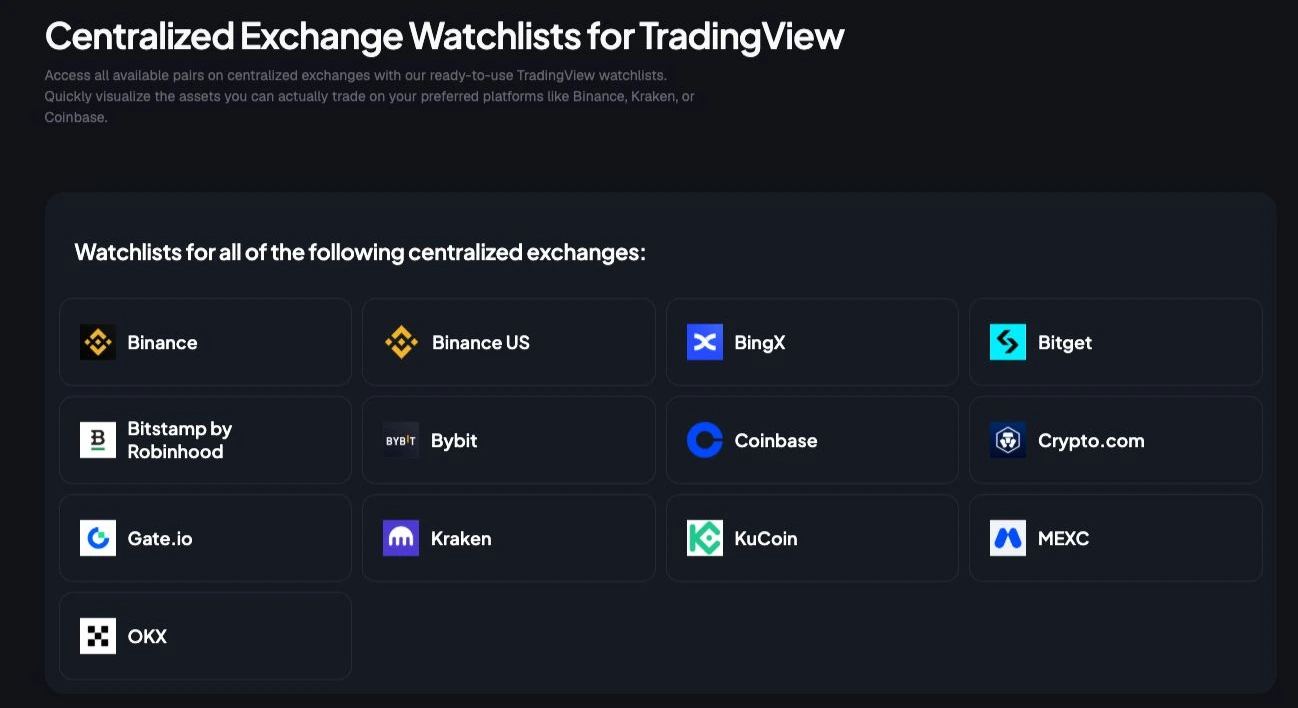
TradingList is the most practical option when the job isn't "find Kraken assets" but "get a clean Kraken coin list into TradingView without spending the afternoon fixing symbols." That distinction matters. Most sources tell users what Kraken lists. Fewer sources produce TradingView-compatible watchlists organized in a way that supports actual monitoring.
The product is built around ready-to-import crypto watchlists for TradingView. That includes exchange-specific lists, market-cap tiered lists, category collections, and ecosystem-based symbol groups. For traders who manage multiple workspaces, that structure is more useful than a raw directory because it turns a long exchange roster into smaller, usable monitoring sets.
Why it works for TradingView users
TradingList's biggest advantage is normalization. Generic exchange pages usually leave users to translate assets into ticker formats, remove duplicates, and decide which symbols belong in which workspace. TradingList reduces that cleanup by focusing on pre-formatted symbol universes designed for TradingView import.
That makes it useful across several workflows:
- Exchange watchlists: A Kraken-specific symbol universe for venue-based monitoring.
- Market-cap watchlists: Large-cap, mid-cap, or emerging groups for tighter review sessions.
- Category watchlists: Thematic sets such as AI or meme coins.
- Ecosystem watchlists: Network-level groups for users tracking chains and related assets.
For users doing more advanced filtering, TradingList also surfaces products such as standard watchlists, custom crypto watchlists, ScreenerList, DeltaList, and FusionList. These are best understood as workflow tools for building, filtering, comparing, combining, and exporting cleaner symbol universes. They're useful when a researcher wants to start with exchange coverage, narrow by category, then export a tighter list for chart review. A related workflow appears in TradingList's piece on the crypto screener process.
Practical rule: A good watchlist source doesn't just list coins. It outputs symbols in the format the charting platform actually accepts.
Best fit and trade-offs
TradingList fits traders, researchers, educators, and script authors who care more about consistent watchlist maintenance than about browsing exchange pages manually. The daily refresh cycle is important here. It helps keep lists aligned with listings, delistings, and naming changes without claiming intraday updates.
The trade-offs are straightforward:
- Best for TradingView: The product is purpose-built for TradingView workflows, so users on other charting platforms may need to adapt exports.
- Focused on organization, not signals: It doesn't provide trading signals, predictions, or analytics overlays.
- Daily refresh cycle: That works well for operational upkeep, but it isn't a substitute for direct exchange checks when a new listing is time-sensitive.
For serious Kraken watchlist maintenance, this is the cleanest starting point because it treats the Kraken coin list as an import and upkeep problem rather than a browsing problem.
2. Kraken Support

Kraken Support's Cryptocurrencies available on Kraken page is the human-readable ground truth for asset availability. When a trader needs to confirm whether an asset is supported by Kraken, this is the first official page worth checking before touching TradingView.
It's especially useful because it doesn't stop at asset names. The page also highlights supported networks, which is where many Kraken coin list workflows go wrong. Kraken's support documentation lists supported cryptocurrencies and notes that assets like USDT and ETH support multiple networks, which matters because traders often confuse a tradable asset with a specific deposit or withdrawal route.
Where it helps most
This page works well for verification tasks that a machine-readable list often hides:
- Asset confirmation: It answers the basic "is this listed?" question reliably.
- Network awareness: It shows that a single asset can live across multiple supported networks.
- Restriction context: It gives product and availability notes that can explain why a symbol appears in one workflow but not another.
That network mapping angle is underrated. Third-party summaries often flatten everything into one ticker per asset, but Kraken users regularly run into confusion when a generic list doesn't reflect network-specific handling. For traders importing symbols into TradingView, this often leads to false assumptions about what should map cleanly and what won't. Users comparing exchange lists may also find value in seeing how another venue's public coverage is framed, such as this Binance US coin list reference.
The official support page is often better than a prettier market dashboard when the issue is naming accuracy rather than market discovery.
What breaks in practice
The weakness is format. This is a support page, not an export tool. It isn't built for direct CSV generation, bulk normalization, or scripted maintenance. Anyone trying to build a reusable TradingView watchlist from it will still need manual parsing or a separate cleanup step.
It also doesn't solve the deeper distinction between asset support and pair support. A coin can be present on Kraken support pages while still requiring separate validation on Kraken Pro markets before it belongs in an active trading watchlist.
3. Kraken Support Markets Available on Kraken Pro

Kraken's Markets available on Kraken Pro page is where the Kraken coin list becomes tradable reality. Asset support is one question. Actual spot pairs on Kraken Pro are the operational question that matters for watchlists, alerts, and chart review.
This page is more useful than the asset catalog when the user already knows the coin and now needs the exact pair coverage. It clarifies what can be traded on Kraken Pro and helps separate pair-based market monitoring from broader account features such as buy or convert flows.
Best use case
For active TradingView setups, this page is best used as a pair validator. It answers questions like whether a coin is available against fiat quotes, whether the desired crypto quote exists, and whether a pair belongs in a pair-level watchlist at all.
That matters because many watchlists fail from over-inclusion. The practical size of an active daily monitoring list depends on the user's workflow and available attention. As a list grows, pair selection becomes more important than collecting every Kraken symbol.
A strong workflow is to use Kraken Pro markets as the final pair check, then move the confirmed symbols into a TradingView screening process. Traders who rely on list-based chart review can pair that with a more structured TradingView screener watchlist workflow.
Limits for watchlist builders
The page is official and reliable, but it still behaves like a webpage. There's no built-in export path for users who want immediate machine-readable pair lists. That makes it awkward for maintaining a large Kraken coin list across multiple TradingView accounts or shared research environments.
Regional and account-level restrictions can also add friction. A pair can appear on the official list yet remain unusable in a specific account context. For watchlist construction, that means this page is excellent for confirmation but weak as the sole maintenance source.
4. Kraken REST API

A manual Kraken coin list breaks the moment Kraken adds, renames, or retires a market. The REST API is the source to use when the actual job is keeping a TradingView watchlist clean without rechecking support pages every week.
Kraken's API symbols and tickers documentation points to the machine-readable asset and asset-pair endpoints. Those endpoints return the fields watchlist builders need: asset identifiers, pair codes, and naming variants such as altname and wsname. That makes the API more useful than a simple coin directory. It gives you the raw material for a repeatable symbol-mapping workflow.
What advanced users get from it
For automation, this is usually the closest thing to a source of record. A script can pull the latest asset pairs, filter for the quote currencies you care about, normalize Kraken naming, and export only the symbols worth sending into TradingView.
That matters in shared research setups.
Once a list is reused across accounts, screeners, or team workflows, copy-pasting from webpages stops being reliable. JSON responses are easier to diff, audit, and refresh. They also expose edge cases that are easy to miss in a browser, especially legacy tickers, alternate labels, and pair formats that look obvious to Kraken but import badly elsewhere.
Operator note: If a symbol universe will be reused, audited, or shared, a machine-readable source is safer than any page built for human browsing.
Why the mapping still needs care
The API still leaves work on your side. Kraken naming has enough legacy quirks that a raw export often needs cleanup before it becomes an import-ready TradingView watchlist. Asset availability in the API also does not answer the practical question: which symbols belong in an active chart review list, and which ones should stay out because the pair format or quote currency does not match your process?
That is the trade-off. The REST API is the best Kraken source for bulk maintenance, but it is not the fastest path to a finished watchlist unless you already have mapping rules in place. For quant workflows, that overhead is acceptable. For discretionary traders who want a clean list before the next session, the API is strongest as the maintenance layer, not the final presentation layer.
5. Kraken Prices Spot Directory

A common workflow problem looks like this: a symbol appears in a screen, a colleague asks whether Kraken lists it, and you need an answer fast without opening docs or cleaning API output first. Kraken's spot prices directory is useful for that exact check.
For watchlist work, this page functions as a visual verification layer. It is faster than support documentation when the job is confirming public-facing asset naming, checking whether an asset has a live retail page, or resolving a simple mismatch between a third-party market list and Kraken.com.
It helps with three practical tasks:
- Presence checks: Confirm whether an asset appears in Kraken's public spot directory.
- Naming checks: Review the label Kraken shows on the retail-facing page before mapping it into your own symbol sheet.
- Sanity checks: Compare what you see on Kraken.com against another source when a ticker looks questionable.
That utility is real, but narrow.
The directory is organized for browsing, not for building a clean Kraken coin list you can send into TradingView. It centers on asset pages rather than a pair-first export workflow, so researchers still need another source to verify market completeness and another step to normalize symbol formatting.
In practice, I treat the spot directory as a last-mile checker. It is good for confirming that a coin is publicly represented the way a trader expects to see it. It is weak as the source of truth for maintaining an import-ready watchlist. If the goal is a repeatable Kraken to TradingView workflow, use this page to verify edge cases, not to assemble the list itself.
6. CoinGecko

CoinGecko's Kraken exchange markets page is a useful curation layer when the job is narrowing a broad Kraken coin list into a reviewable universe. It gives a third-party exchange view with market tables, activity context, and a cleaner way to compare Kraken coverage against other venues.
That's valuable for researchers who don't want to include every listed market in TradingView. A raw universe is rarely the same thing as a useful watchlist. For many workflows, the better approach is to use official Kraken data for verification and a third-party market page for pruning.
Useful for curation
CoinGecko is most helpful when deciding what deserves attention now rather than what merely exists on the exchange. It can support liquidity-aware curation, pair prioritization, and relative exchange benchmarking.
Kraken Pro itself encourages category-style filtering workflows. On the platform, users can build watchlists by using built-in market categories and filters such as Top Gainers, Most Traded, and newly listed cryptocurrencies, then refine the list over time, as described in this Kraken Pro watchlist workflow summary. CoinGecko complements that style of work because it helps users review market coverage through an external lens before finalizing a TradingView list.
Third-party aggregators are often strongest in the middle of the workflow. Not at the beginning, and not at the final export stage.
Why it shouldn't be the final source
CoinGecko is still an aggregator. Symbol formatting can differ from Kraken or TradingView, and listing status can occasionally need confirmation from an official source. It's excellent for market discovery and shortlist curation, but it shouldn't be the final authority for import-ready symbols.
For most advanced users, CoinGecko belongs between official verification and final watchlist export.
7. CoinMarketCap

A common failure point in Kraken watchlist work is team alignment, not data access. One analyst pulls pairs from Kraken support, another checks CoinGecko, and a third tries to rebuild the same set in TradingView from memory. CoinMarketCap's Kraken exchange page is useful because it gives those teams a familiar external reference during review.
That matters most in shared workflows. Research desks, educators, and content teams often need one public page everyone recognizes before they approve a list of Kraken markets for tracking, testing, or publication.
Useful as a review layer
CoinMarketCap works best after the initial list is already drafted. At that stage, the job is less about discovery and more about checking whether the working universe still looks reasonable against a broadly used market directory.
In practice, it helps with three things:
- Sanity checks: Confirm whether an asset or market is broadly represented on Kraken in a third-party dataset.
- Team review: Give collaborators a common page to reference during list approval.
- Universe trimming: Help reduce an oversized draft watchlist into a smaller set worth mapping into TradingView.
I use it for review, not assembly. That distinction saves time.
Why it still creates cleanup work
CoinMarketCap is an aggregator view, so it does not solve the symbol-normalization problem. Traders still need to verify naming, pair conventions, and listing status against Kraken's own sources before adding anything to a production TradingView watchlist.
That trade-off is the whole point of this article's workflow. CoinMarketCap can help validate a draft Kraken coin list, especially when multiple people are involved, but it does not produce a clean, import-ready output on its own. For serious watchlist maintenance, it belongs in the QA step rather than the final export step.
Kraken Coin List, 7-Source Comparison
| Item | Implementation complexity | Resource requirements | Expected outcomes | Ideal use cases | Key advantages |
|---|---|---|---|---|---|
| TradingList, Professional Crypto Watchlists for TradingView | Low, plug‑and‑play for TradingView | Download/subscription, minimal setup | Ready-to-import, consistent TradingView watchlists | Traders and researchers using TradingView who need curated lists | Pre-formatted symbols, daily refresh, multi-dimensional organization |
| Kraken Support, Cryptocurrencies available on Kraken | Low, human‑readable page | Manual lookup; parsing required for automation | Ground-truth confirmation of listed assets and networks | Quick verification before adding assets to lists | Official source, clear tickers and network notes |
| Kraken Support, Markets available on Kraken Pro | Low, web page reference | Manual checking or scraping for automation | Accurate list of tradable spot pairs on Kraken Pro | Validating tradable pairs and fiat/quote coverage | Official pair inventory aligned to Pro trading |
| Kraken REST API, Assets and AssetPairs | Medium, requires API integration and mapping | Dev effort for requests, rate-limit handling and symbol normalization | Machine-readable asset and market data for automation | Automated refreshes, bulk normalization for tools like TradingView | Includes symbol variants and metadata |
| Kraken, Prices (Spot directory) | Low, browseable public pages | No account required, manual cross-checking | Live price view and asset summaries for quick checks | Retail checks and manual watchlist composition | Live quotes without login, retail-facing alignment |
| CoinGecko, Kraken exchange markets page | Low–Medium, web/third‑party interface | Third‑party data reliance; optional API calls or scraping | Liquidity-aware market view with volumes and spreads | Curating lists by liquidity, benchmarking exchange coverage | Frequent refreshes, liquidity metrics, neutral cross-exchange perspective |
| CoinMarketCap, Kraken exchange markets page | Low–Medium, third‑party interface | Third‑party dataset; may need cleanup for imports | Industry-standard snapshot of Kraken markets and liquidity | Cross-verification and pruning of low-priority pairs | Widely used dataset, liquidity/volume metrics, exchange ranking context |
Integrate and Automate Your Watchlist Workflow
A Kraken coin list becomes valuable only when it stays usable. That's the main challenge. Most traders can assemble a rough list once. The hard part is keeping it accurate as listings shift, symbols change, pair coverage evolves, and network support creates false assumptions about what should exist in TradingView.
The strongest workflow uses different sources for different jobs. Official Kraken support pages are best for confirming asset status and understanding network support. Kraken Pro market pages are better for validating tradable pairs. The REST API is the right backbone for automation when a team wants machine-readable upkeep. CoinGecko and CoinMarketCap work best as pruning and comparison layers, not as final export sources.
For many users, though, the main problem isn't access to data. It's maintenance overhead. A watchlist that's theoretically accurate but requires repeated manual cleanup won't stay accurate for long. Traders stop updating it. Researchers duplicate work across accounts. Educators share lists that break on import. The admin burden slowly degrades the quality of the analysis environment.
That's why a purpose-built TradingView workflow tool is often the practical answer. TradingList addresses the exact pain point that generic Kraken coin list pages leave unsolved. It organizes crypto symbols by exchange, market cap, category, and ecosystem, then keeps those sets maintained through a daily refresh cycle. For users who need cleaner exchange watchlists, custom crypto watchlists, or more structured list building through ScreenerList, DeltaList, and FusionList, that approach removes a large chunk of repetitive formatting work.
A sustainable setup usually looks simple. Start with an exchange-aligned watchlist. Narrow it into smaller review groups. Keep pair validation and official checks available for edge cases. Avoid treating a giant symbol dump as a working watchlist. For active monitoring, a focused list can be easier to maintain than raw coverage.
The goal isn't to collect every possible Kraken symbol. The goal is to maintain a clean, repeatable TradingView environment that supports scanning, charting, and research without constant repairs. Once the Kraken coin list is treated as a workflow problem instead of a directory problem, the right tool choice becomes obvious.
Traders who want a faster way to build and maintain a clean Kraken coin list for TradingView can start with TradingList. It provides ready-to-import crypto watchlists organized by exchange, market cap, category, and ecosystem, with a daily refresh cycle that reduces manual upkeep for researchers, educators, and advanced TradingView users.