
Stop Wasting Time: Build a Flawless Binance US Watchlist
Keeping a clean Binance US coin list inside TradingView is harder than it should be. Listings change, pairs disappear, networks matter, and a symbol list that looked fine last week can already be stale. For traders, researchers, educators, and advanced TradingView users, the core problem isn't finding coins once. It's maintaining a watchlist that stays usable.
A practical workflow needs two things. First, a reliable source of truth for what Binance.US supports. Second, a fast way to convert that information into TradingView-ready symbols without constant cleanup. That's where most manual processes break down.
Binance.US currently shows a selective universe rather than an everything-exchange approach. CoinGecko's exchange profile reports roughly 145 to 146 cryptocurrencies and 194 to 196 active trading pairs on Binance.US, with BTC/USDT as the dominant market and a reported 2% depth of $645,693 for that pair on the reporting snapshot (CoinGecko Binance.US exchange profile). That's enough breadth to require structure, but not enough to justify messy watchlists.
The good news is that the best workflow is straightforward once the right tools are in place. The list below compares official Binance.US sources, third-party aggregators, and dedicated watchlist tooling so a Binance US coin list can move cleanly into TradingView without wasting hours on formatting and verification.
Table of Contents
- 1. TradingList
- 2. Binance.US Help Center Listings on Binance.US
- 3. Binance.US API GET /api/v3/exchangeInfo
- 4. Binance.US Prices Markets pages
- 5. CoinMarketCap Binance.US exchange page
- 6. CoinGecko Binance.US exchange profile
- 7. LiveCoinWatch Binance US markets page
- Binance.US Coin Listings, 7-Source Comparison
- From Data to Decision Your Watchlist Workflow
1. TradingList
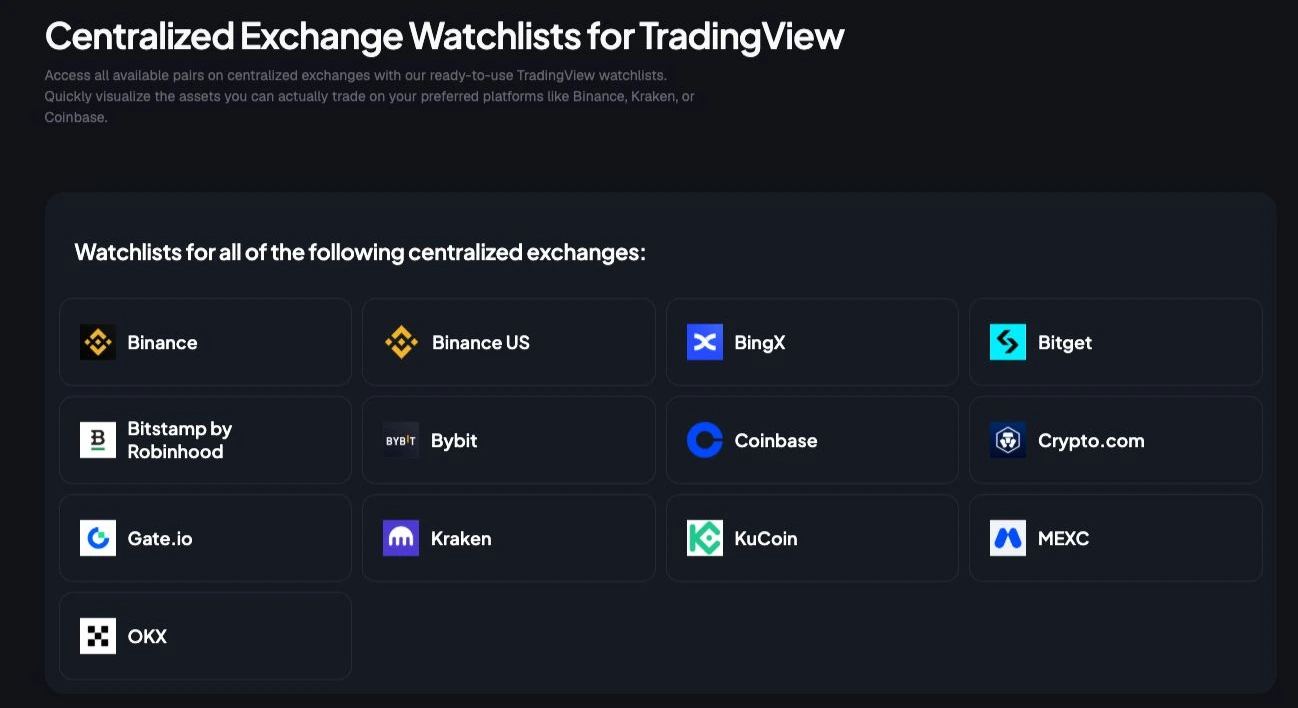
TradingList is the most efficient option for anyone whose end destination is TradingView, not a spreadsheet. Instead of scraping exchange pages, cleaning tickers, adding exchange prefixes, and rebuilding lists after delistings, it delivers ready-to-import crypto watchlists organized by exchange, market cap, category, and ecosystem through TradingList.
That matters because TradingView import rules are strict. Imported files must be in .txt format, each symbol must include the exchange prefix such as BINANCE:BTCUSDT, and symbols need to be comma-separated to import correctly (TradingView watchlist import format guide). A lot of Binance US coin list workflows fail on formatting before analysis even begins.
Why it works for TradingView-first workflows
TradingList is built around standard watchlists and custom crypto watchlists, but the stronger advantage is the supporting workflow stack. ScreenerList helps filter a universe into something tighter. DeltaList highlights new entries and exits between refresh cycles. FusionList combines multiple lists and removes duplicates so a trader can merge an exchange list with a category or ecosystem list without creating a mess.
Practical rule: If a symbol universe has to be maintained by hand more than once, it should probably be systematized.
The service uses a daily refresh cycle, which is what most advanced users need. For Binance.US tracking, that means fewer stale symbols and less manual checking after listings, pair removals, or naming changes. It's also useful for educators and script authors who need consistent symbol universes across multiple workspaces.
A few practical trade-offs stand out:
- Best advantage: Ready-to-import TradingView formatting removes the symbol mapping work that usually slows down setup.
- Best for segmentation: Exchange, market cap, category, and ecosystem lists make it easy to build focused watchlists instead of one bloated master list.
- Best maintenance layer: DeltaList and FusionList reduce recurring admin work, especially when comparing refresh cycles or combining universes.
- Main drawback: It's built primarily for TradingView users, so traders using other charting platforms may still need conversion work.
Best fit
TradingList suits serious TradingView users who care more about workflow hygiene than raw data browsing. For a Binance US coin list specifically, the useful angle is practical: open the centralized exchange watchlists in the app, export a clean TradingView-ready symbol list, then use official Binance.US sources for final listing or network verification.
It doesn't replace official verification, but it removes the repetitive formatting and maintenance work that usually happens after verification.
2. Binance.US Help Center Listings on Binance.US

When the question is “Is this asset supported on Binance.US right now?”, the Help Center listing page is the first stop. It's the exchange's canonical reference for supported assets, networks, and trading pairs, and it's better for confirmation than any aggregator.
That network detail is more valuable than many traders realize. Binance.US maps supported assets to specific networks such as ERC-20, BEP-20, Solana, and XRPL, and the page includes a broad list of supported cryptocurrencies ranging from 0x (ZRX) and Aave (AAVE) to Bitcoin (BTC) and Zcash (ZEC), while also reflecting newer additions such as Axios (AIXBT) on Base and Bertram The Pomeranian (BERT) on Solana (Binance.US supported crypto networks and trading pairs). For anyone moving assets on and off exchange, that's operational data, not trivia.
Where it beats every third-party source
The Help Center page also notes an important reality. Third-party sites can differ from Binance.US, and the exchange website and app remain the final authority on support status. That's why this page works best as the validation layer in a Binance US coin list workflow.
The official listing page should answer support status. Third-party sites should only confirm or contextualize it.
There are downsides. The page isn't designed for bulk export, so it's awkward if someone wants to turn the full supported universe into a TradingView watchlist manually. It's also not the fastest interface for comparing changes over time.
That's where a workflow tool helps. A trader can confirm support status on the official page, then use structured watchlist resources from the TradingList blog to build a cleaner TradingView process around that official source.
3. Binance.US API GET /api/v3/exchangeInfo
The Binance.US exchangeInfo endpoint is the strongest option for traders who want an automated Binance US coin list workflow. It returns machine-readable exchange metadata, tradable symbols, and market rules in a format that can feed scripts, screeners, and internal tooling.
This is the route for developers, quant researchers, and anyone running a local symbol universe. Instead of reading pages by hand, they can query the endpoint, parse active pairs, derive base assets, and keep a structured list in sync with Binance.US.
Best use case
The exchangeInfo endpoint is pair-focused, which is both the benefit and the limitation. It reflects tradable markets directly, but anyone trying to build a pure coin list still has to derive the unique asset set from pair data. That's manageable in code, but tedious without code.
The other practical advantage is that the metadata goes beyond symbols. It includes trading parameters that help validate downstream workflows, which is useful for screeners and order logic. For advanced users building TradingView-adjacent workflows, it's often the cleanest raw source before formatting.
- Strongest use: Automated syncing for scripts, ETL, and local watchlist generation.
- Hidden benefit: Pair-level metadata helps catch invalid assumptions before symbols go into a screener.
- Main drawback: It requires light engineering, and pair data still needs transformation before it becomes a clean TradingView import file.
For manual users, this endpoint is overkill. For technical users, it's usually the foundation.
4. Binance.US Prices Markets pages

The Binance.US Prices page is the fastest visual check for what's currently tradable in the user interface. It's useful when someone needs quick confirmation that a market appears live, searchable, and clickable from the front end.
When workflows grow overly abstract, an important consideration emerges. A symbol may exist in a dataset, but if the pair isn't visible in the exchange UI where traders execute, it deserves another check.
What it's actually good for
The page is strongest for human validation, not list building. Traders can scan common quote assets, inspect pair availability, and confirm that the market appears the same way end users see it. For fast review sessions, that's often enough.
It's weaker as a maintenance source for a Binance US coin list in TradingView. There's no clean bulk export path, and interface changes can alter how symbols are grouped or filtered. That makes it useful as a front-end check, not as the permanent backbone of a watchlist workflow.
Workflow note: The UI is where a trader confirms usability. The API and structured lists are where a trader maintains consistency.
Anyone who starts on the Prices page and then wants a scalable import workflow will usually end up comparing that view against a dedicated watchlist setup such as the options outlined on TradingList pricing.
5. CoinMarketCap Binance.US exchange page

CoinMarketCap's Binance.US exchange page is a good external cross-check when a trader wants sortable market views without logging into an exchange. It's familiar, easy to search, and useful in team environments where not everyone wants to access Binance.US directly.
Its best use isn't authority. It's convenience. The exchange-scoped market table makes scanning pairs simpler than many official pages, especially when someone wants to sort, search, and compare quickly.
When it helps
CoinMarketCap is helpful when a Binance US coin list needs a sanity check from outside the exchange itself. If a pair appears odd, missing, or inactive on one source, a third-party market table can help flag whether the issue is likely temporary or structural.
That said, it shouldn't outrank Binance.US itself. Aggregators can lag, especially around fresh listings, pauses, or pair changes. For serious workflow maintenance, it works best as the “second tab” rather than the primary source of truth.
- Useful for: Fast pair scanning and searchable market tables.
- Useful for teams: A common external reference when discussing exchange coverage.
- Less useful for: Direct TradingView import workflows, since manual formatting still follows.
For researchers, it's handy. For watchlist upkeep, it's supplementary.
6. CoinGecko Binance.US exchange profile

CoinGecko is useful for a different job than the official Binance.US sources. I use it to judge market quality and pair relevance after I confirm that a coin or pair exists elsewhere.
That distinction matters. A watchlist for TradingView should not mirror every listed asset. It should reflect what is active enough to review, compare, and trade without wasting screen space on dead symbols or thin pairs.
CoinGecko helps at that filtering stage because the exchange profile adds context around market activity, pair mix, and where volume is concentrated. That makes it better for ranking candidates than for confirming exchange support status. If Binance.US says a market is listed and CoinGecko gives it weak visibility or thin activity, that pair usually belongs on a secondary list, not the main trading watchlist.
This is also where source method matters. Official pages answer, “Is it supported?” CoinGecko helps answer, “Is it worth tracking closely?” Those are different questions, and serious watchlist maintenance needs both.
TradingList fits that workflow well because it turns exchange coverage into TradingView-ready symbols without the cleanup work that usually follows third-party research. CoinGecko is useful during review. TradingList is faster at the final assembly step.
Use CoinGecko as a research layer, not the final authority. For Binance US watchlist building, it works best as a prioritization tool between official confirmation and the last pass before import.
7. LiveCoinWatch Binance US markets page

LiveCoinWatch's Binance US exchange page is most helpful when a trader cares about tradability, not just availability. A pair can exist on an exchange and still be poor material for screening, chart review, or execution planning if liquidity is thin.
That makes LiveCoinWatch a useful complement to the official Binance.US sources. It offers a lighter, quick-loading market view that helps identify which markets deserve attention and which ones should stay off the main watchlist.
Where it adds value
The practical value is pair-level context. Traders who maintain a Binance US coin list for TradingView often don't need every supported asset on one active charting list. They need the subset worth monitoring regularly.
A clean watchlist isn't the longest list. It's the one that matches the user's actual review process.
LiveCoinWatch helps with that narrowing step. It's not ideal for export, and it still carries the normal third-party caveat of possible divergence from official exchange status. But for quick pair triage, it's useful.
The best way to use it is after official confirmation and before final watchlist assembly. It helps answer a simple question: which Binance.US markets belong in the daily workspace, and which should stay in a secondary reference list?
Binance.US Coin Listings, 7-Source Comparison
| Item | Implementation complexity | Resource requirements | Expected outcomes | Ideal use cases | Key advantages |
|---|---|---|---|---|---|
| TradingList | Low, plug-and-import for TradingView | Subscription (Lite/Plus/Premium), no engineering | Curated, normalized .txt watchlists with daily updates | TradingView traders, script authors, researchers | Ready-to-import lists, daily maintenance, Delta/Fusion tools |
| Binance.US Help Center, Listings | Very low, manual lookup | None (web access) | Official confirmation of listed assets/networks | Legal/compliance checks, deposit/network verification | Canonical source; network details; highest reliability |
| Binance.US API, GET /api/v3/exchangeInfo | Medium, requires parsing/integration | Engineering effort for polling/parsing | Machine-readable, real-time symbols and trading params | Automated watchlist syncs, ETL, order validation | Real-time data, trading constraints, no auth needed for metadata |
| Binance.US, Prices/Markets pages | Very low, visual inspection | None (web/UI) | Live, human-readable list of active pairs and prices | Quick manual validation before trading | Matches exchange UI; immediate visual confirmation |
| CoinMarketCap, Binance.US exchange page | Low, manual or API with registration | Optional API key for programmatic access | Aggregated pair list with price/volume metrics | External cross-checks, team references, sortable scans | Widely used industry reference; sortable/searchable tables |
| CoinGecko, Binance.US exchange profile | Low, manual or API with registration | Optional API registration for automation | Markets table plus trust/reserve context | Due diligence, triangulating listing quality | Independent Trust Score and reserve metrics; alternate confirmation |
| LiveCoinWatch, Binance US markets page | Low, manual use | None (web) | Real-time pairs with liquidity/depth indicators | Liquidity assessments for screening/backtests | Liquidity and depth metrics; lightweight fast UI |
From Data to Decision Your Watchlist Workflow
A reliable Binance US coin list isn't just a reference asset. It's the foundation for charting, screening, education, and research inside TradingView. The problem is that most traders mix up three different jobs: confirming support status, evaluating market quality, and maintaining TradingView-ready symbols. Those jobs need different tools.
The cleanest workflow starts with Binance.US itself. The Help Center listing page confirms whether an asset, network, or pair is officially supported. The Prices page confirms whether the market is visible and usable in the exchange interface. For technical users, the exchangeInfo endpoint is the automation layer that can keep a local universe synchronized.
After that, third-party sites add context. CoinMarketCap helps with quick pair scanning. CoinGecko adds broader exchange context and helps frame the exchange as a selective venue rather than a giant catch-all list. LiveCoinWatch is useful for deciding which pairs deserve space in an active workspace versus a passive reference list.
There's another reason maintenance matters now. Coverage around Binance.US delistings and pair removals is often incomplete. Reporting on June 2026 notes that more than 100 advanced trading pairs were removed amid SEC scrutiny, and that withdrawal access after delisting may remain available for a limited period, often described as roughly 30 to 90 days, even though Binance.US-specific documentation hasn't always been easy to centralize (CryptoSlate report on Binance.US advanced trading pair removals). A stale watchlist isn't just messy. It can create confusion around what's tradable, what's only withdrawable, and what needs migration.
TradingView adds one more layer of precision. Importing a watchlist requires opening the watchlist menu, selecting “Import list...”, and uploading a properly formatted .txt file with exchange-prefixed symbols, otherwise imports fail immediately (TradingView watchlist import walkthrough). That's exactly why dedicated watchlist tooling matters.
For traders and analysts who value speed and consistency, TradingList is the strongest operational shortcut. It doesn't replace the exchange as the source of truth. It removes the repetitive administration that sits between raw exchange data and a clean TradingView workspace. Standard watchlists, custom crypto watchlists, ScreenerList, DeltaList, and FusionList give serious users a more stable way to build, compare, combine, and export symbol universes through a daily refresh cycle. That keeps attention where it belongs: on analysis, not watchlist repair.
TradingList is the practical choice for anyone who wants a Binance US coin list that's usable in TradingView. Its exchange, market cap, category, and ecosystem watchlists turn raw symbol maintenance into a repeatable workflow, and its TradingView-compatible exports cut out the formatting errors that waste the most time. For traders, researchers, educators, and advanced chart users who want cleaner symbol universes with less manual upkeep, TradingList is the fastest place to start.