351 new centralized-exchange listings appeared in Q2 2026, while delistings outpaced new additions in that quarter, so the best exchange coin list depends on the job: an authoritative venue directory, cross-exchange research, API-based construction, or a TradingView-compatible file ready for import. A trader preparing charts may start with a generic ticker such as BTC, then discover that TradingView needs a venue-specific symbol such as BINANCE:BTCUSDT.
That distinction determines whether a list is useful or merely looks complete. Official exchange directories are strongest for confirming that a pair exists on a particular venue. Aggregators are better for comparing venues, liquidity fields, and market context. APIs help researchers construct repeatable symbol universes, while a formatted .txt file is usually the quickest route for importing a prepared list into TradingView.
A practical workflow also has to account for exchange prefixes, quote currencies, renamed assets, regional availability, and changing listings. TradingView's import process requires a .txt file with comma-separated symbols that include the exchange prefix, as documented in its watchlist import guidance. The resources below separate first-party centralized-exchange sources from aggregators and ready-to-import workflows, then connect each option to normalization, comparison, import, and maintenance decisions.
Table of Contents
- 1. TradingList
- 2. Binance Markets Directory
- 3. Coinbase Asset and Markets Directory
- 4. Kraken Supported Cryptocurrencies and Markets
- 5. OKX Spot Markets Directory
- 6. KuCoin Markets Directory and Public API
- 7. Bybit Spot Directory
- 8. Gemini Supported Assets and Prices
- 9. CoinMarketCap Exchange Markets Pages
- 10. CoinGecko Exchange Markets Pages
- Top 10 Exchange Coin-List Comparison
- Turn the List Into a Maintainable Workflow
1. TradingList
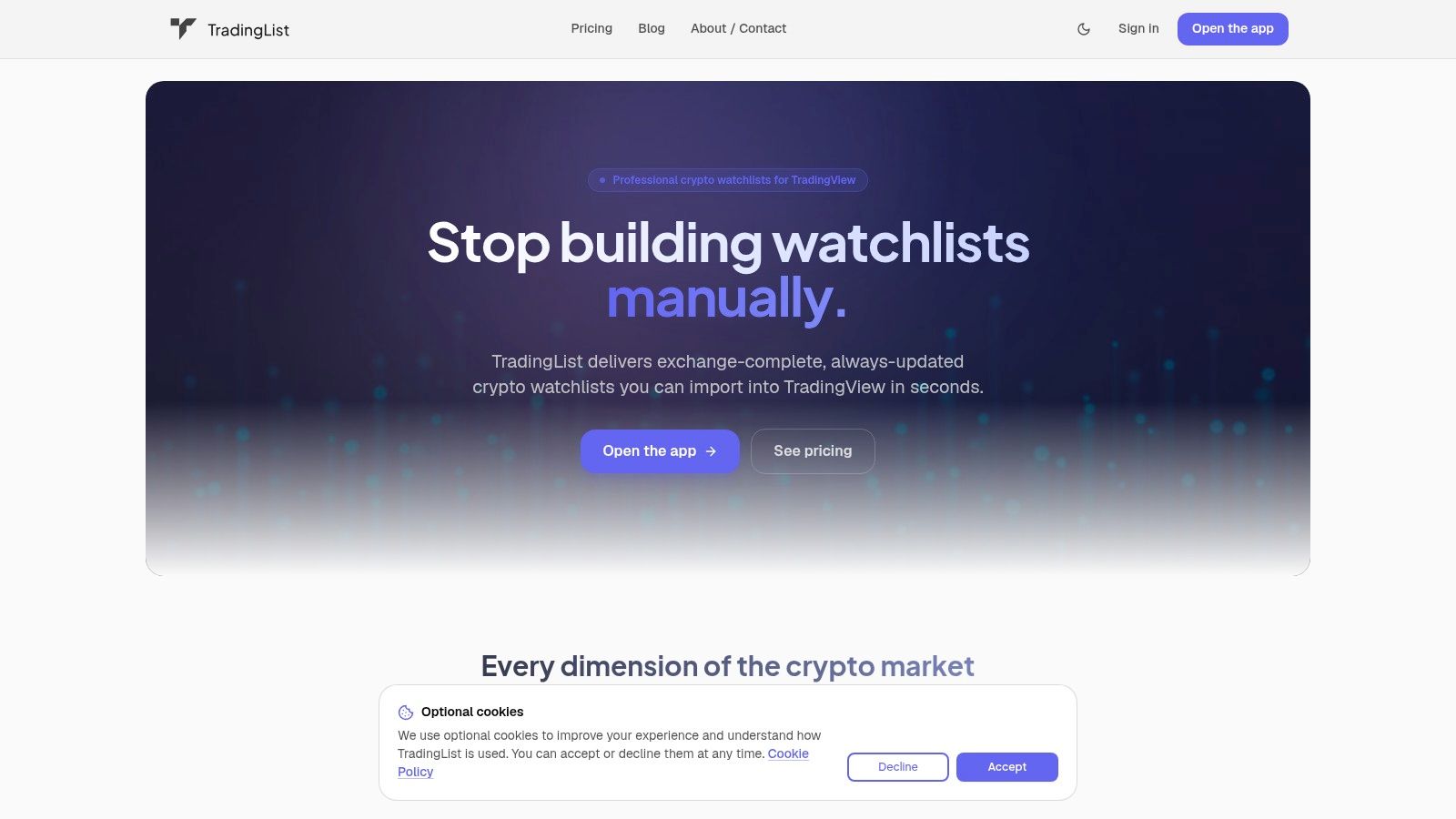
If a TradingView workspace needs separate Binance, Coinbase, and ecosystem lists, copying symbols manually creates avoidable prefix and quote-currency errors. TradingList supplies watchlists formatted for TradingView, organized by centralized exchange, market capitalization, supported category, and blockchain ecosystem. Its role is to turn a selected universe into an importable file, rather than to replace an exchange's own market directory.
A practical workflow starts by choosing a supported list, checking its exchange and filter scope, downloading the .txt file, and importing it through TradingView's watchlist menu. Comma-separated, venue-specific symbols reduce cleanup for formats such as BINANCE:BTCUSDT, though they do not remove the need to verify renamed assets, unavailable markets, or regional differences. TradingList applies a daily refresh cycle when source data is available, so each download should be treated as a dated input that may require review.
Where the workflow fits
Standard watchlists cover broad exchange, market-cap, category, or ecosystem universes. The useful distinction appears during list maintenance. For example, a researcher can compare a broad exchange list with a smaller ecosystem list, remove symbols that lack the intended quote currency, and export the remaining set for TradingView. If two files contain the same asset in different formats, keep the venue prefix and full pair from the source that will be charted, rather than merging ticker text alone.
TradingList can also split lists that exceed TradingView's documented 1,000-symbol watchlist limit into separate files. This handles the import constraint, while the user still decides how to divide spot pairs, quote currencies, or research categories.
Practical rule: Use the download as a maintained workflow input, then verify priority symbols against the exchange before relying on the list.
The scope remains specific. TradingList organizes symbols and exports watchlists; it is not an exchange, broker, trading platform, signal provider, prediction engine, portfolio adviser, or financial adviser. Confirm available list categories before purchase. Custom watchlist exports and full use of ScreenerList, DeltaList, and FusionList require TradingList Premium; limited previews are distinct from full access. Guest browsing, subscription tiers, annual plans, and one-time list purchases suit different list dimensions and tool requirements.
Visit the TradingList website to check supported watchlist types and export options.
2. Binance Markets Directory
A symbol may appear in an aggregator yet lack the pair or regional availability a TradingView workflow needs. Start with the official Binance Markets directory when verifying whether Binance lists a specific spot asset or pair. The venue page provides search, filters, price and volume fields, and links to individual trading pages. Its exchange-level data reduces ambiguity caused by aggregators combining symbols from multiple venues.
Binance also organizes markets into themed “Zones,” such as Solana, DePIN, and RWA. These labels are useful for reviewing a narrative or sector, but they should not automatically become a TradingView category. A theme groups markets conceptually, while a symbol universe must define venues, pairs, and quote currencies.
Best use and limitation
The directory is most useful for base and quote discovery. Search for an asset, identify whether its pair uses USDT, USDC, BTC, or another quote currency, then verify the corresponding TradingView symbol format. This step prevents a ticker-only match from being imported as the wrong market.
Bulk construction is less convenient. The public interface does not provide a native full-directory download, so copying a large universe requires manual collection or a separate normalization workflow. Regional pages can also affect which instruments appear and how they are presented.
For US-focused research, use the Binance US coin list guide alongside the global markets directory. The two resources address different venue scopes, so they should not be combined without checking the exact exchange and region attached to each symbol.
The practical trade-off is clear. Binance is a strong source for venue truth, while manual copying can create duplicate assets, inconsistent quote choices, and missed pair variants. Use the directory to confirm priority symbols or maintain a smaller curated list, then normalize the venue prefix and full pair before importing into TradingView.
3. Coinbase Asset and Markets Directory
A Coinbase asset page may show an asset that is unavailable for spot trading in a particular region or account. The official Coinbase Explore directory helps separate broad asset discovery from tradable market availability, while Coinbase support, transparency, legal, and help pages add context for interpreting each entry.
That distinction affects any exchange coin list. An asset can appear for informational, custody, or regional purposes without offering the same spot pair to every user. Record the Coinbase page checked, the service involved, and the applicable market scope before adding a symbol to a TradingView universe.
A good reference for jurisdiction-sensitive research
Coinbase suits researchers building a US-focused venue universe because its public pages answer a specific question: which assets and markets does the platform identify or support? They are less suitable for producing a complete pair file. The interface is dynamic, and a bulk workflow therefore needs separate collection, normalization, and validation.
The formatting step matters. BTC names the asset conceptually, while COINBASE:BTCUSD identifies a venue-specific TradingView feed, provided that exact symbol is available. Confirming Coinbase availability does not confirm chart availability. Check the TradingView symbol search before importing, then preserve the venue prefix, base asset, quote asset, and pair status in the working file.
For a focused reference, the coins listed on Coinbase resource supports venue-specific review. Treat it as a research aid rather than a replacement for Coinbase's current pages. Regional, product, and account differences can change the result, so compare the resource with the official directory during updates.
This source is strongest for verification and comparison, not one-click importing. A smaller curated universe reduces duplicate tickers and incorrect quote mappings, while a maintained normalization workflow is better for repeated refreshes.
4. Kraken Supported Cryptocurrencies and Markets
A Kraken asset entry can describe more than a ticker. Its official supported cryptocurrency documentation includes network-level information alongside availability, which helps separate the asset from its deposit, withdrawal, and trading context.
That distinction matters when building a TradingView symbol universe. BTC identifies an asset conceptually, while a venue-specific pair must also retain its exchange prefix, quote currency, and exact TradingView availability. Kraken's support pages help verify asset and network details. Its documentation and API provide a repeatable route for collecting assets and asset pairs instead of copying a changing web list manually.
Why network detail affects symbol quality
A pair such as BTC/USD describes a market relationship, not every operational property of the underlying asset. Network names, Kraken's naming conventions, and regional treatment can create mismatches when exchange records are combined with TradingView symbols. Keep the asset layer, network layer, and market-pair layer in separate fields before normalizing the final chart symbol.
The Kraken coin list resource can support a TradingView-oriented output when an API-built file is unnecessary. Use it for comparison and import preparation, then check the current Kraken documentation for support rules and network details.
The practical choice is convenience versus repeatability. Manual review is faster for a small set of assets, while API collection suits recurring refreshes. Neither removes the mapping step required for TradingView's exchange-prefix format. Kraken's public interface also lacks a full bulk download, and regional treatment of some assets, including stablecoins, can change the working set. Store the source response, normalization rules, and collection date so later updates can be compared rather than rebuilt from memory.
5. OKX Spot Markets Directory
A TradingView symbol list can fail at import even when the pair appears on OKX. The official OKX spot markets directory provides a filterable view of spot instruments by base asset and quote currency, making it useful for checking whether a market exists and comparing available quote options.
The directory is suited to manual verification. Search an asset, confirm the quote, and record the displayed pair. OKX also publishes listing and pair-change announcements, while its developer documentation provides market and reference-data access. Use the page to review exceptions and the API route when the same collection must be refreshed repeatedly.
Manual inspection versus programmatic collection
Manual checking is efficient for a short watchlist. Larger TradingView universes need API processing or a prepared-file workflow because the directory is not a one-click CSV export. Programmatic collection can capture the source response, apply inclusion rules, and preserve raw values for later comparison, but it still requires review of renamed assets, duplicate tickers, and inactive or unavailable instruments.
Regional context affects comparison. The /en-us/ path identifies the portal presentation, so availability should be checked against the applicable venue and user location before being treated as universal. Keep region, base asset, quote asset, and market status as separate fields.
Before import, normalize the pair to TradingView's exchange-prefix format and verify the exact convention, such as OKX:PAIR. An OKX label copied from the page may need punctuation or asset-name adjustments. OKX is a strong official source for market existence and pair discovery, not a finished TradingView import file.
6. KuCoin Markets Directory and Public API
KuCoin's markets directory is useful when a TradingView symbol universe needs both exchange-specific discovery and repeatable collection. The page groups markets by themes such as ecosystems, ALTS, BTC, and ETF. These categories help organize research by context, although they should remain separate from an exchange-neutral classification.
For bulk work, the public Get All Symbols endpoint, GET /api/v2/symbols, is more practical than copying the web page. It returns trading-pair records, including baseCurrency, quoteCurrency, and enableTrading. A script can filter quotes and trading status, normalize pair names, and generate a TradingView-oriented file for testing. Store the raw response as well. It makes later comparisons easier when assets are renamed, tickers collide, quotes disappear, or records become unavailable.
What KuCoin does well
KuCoin serves two workflows. Manual review supports category-based discovery and quick checks. API collection supports recurring refreshes and a logged transformation process. A KuCoin category describes KuCoin's own presentation, so it should not be merged automatically with labels from CoinGecko, TradingList, or an internal database.
Export friction remains the main constraint. The directory does not provide a simple bulk file ready for TradingView, so larger universes require API parsing or scraping. Listing changes can alter the working set, making retrieval dates and versioned outputs useful for identifying additions, removals, and renamed pairs.
Before import, normalize each result to the destination's exact exchange-prefix convention and test representative symbols in TradingView. Preserve base asset, quote asset, market status, source region, and retrieval date as separate fields. A prepared centralized-exchange watchlist can reduce formatting work for teams that do not maintain parsing code, but important symbols still require direct KuCoin verification.
7. Bybit Spot Directory
A candidate pair from an aggregator or an old watchlist needs first-party verification before it enters a TradingView universe. Bybit's spot sitemap provides human-readable, alphabetized spot-pair URLs without requiring a login. It helps locate pair pages, but a sitemap entry alone does not establish that a market is currently active.
The sitemap is most useful for pair-page discovery. Search for a pair, then verify its current spot-market status using Bybit's Get Instruments Info documentation, selecting category=spot and checking the returned Trading status. Record the result with its base asset, quote asset, retrieval date, and any region or product notes. It includes variants using fiat-linked and stablecoin quotes, so a matching URL does not by itself confirm identical access for every user.
Where parsing becomes necessary
The sitemap is not a CSV or JSON export. A bulk workflow must parse URLs, extract pair names, and convert them to the destination's exact symbol format. URL naming may differ from TradingView naming, so retain the original URL alongside the normalized symbol and test representative entries before importing a larger file.
Bybit's market overview pages and help content provide context about spot access and order types. The sitemap remains the more direct source for confirming whether a pair appears in the public directory, while region-specific availability requires separate checking. Treat a visible URL as evidence of a pair page, not proof of active trading or universal availability.
For a small audit, manual search is efficient. For recurring maintenance, script retrieval, preserve the raw sitemap output, and generate a versioned normalized file for comparison. This makes additions, removals, renamed pairs, and formatting changes easier to review. Bybit works well as a validation layer, but it does not provide the ready-to-import TradingView file that a nontechnical user may expect.
8. Gemini Supported Assets and Prices
Gemini's prices page provides an official reference for assets with pricing information and points users toward products available for trading or custody. Its disclosures add context about supported products and commercial relationships, but a displayed asset should not automatically be treated as an active trading pair.
Gemini's developer documentation is more useful for symbol validation and market specifications. It documents trading-pair symbols, minimum order requirements, and price or quantity increments. Those fields matter when a TradingView universe must reflect executable market formats rather than only recognizable ticker names.
A narrower list can be more useful
Gemini covers a more selective asset set than exchanges built around a wider range of volatile markets. That suits research focused on this US-oriented venue. It limits cross-exchange discovery when the goal is broad coverage or a large asset category.
The public interface does not provide a native bulk export. Building a TradingView watchlist therefore requires collecting symbols from the documentation, normalizing them manually, or starting with a prepared file. A ticker such as ETH is insufficient because it does not identify the venue, quote currency, or feed. Use TradingView's exact symbol format, such as GEMINI:ETHUSD, when that feed is available.
For maintenance, keep the source symbol, normalized TradingView symbol, product status, and retrieval date together. Recheck documentation when Gemini changes pair specifications or supported products. This separates an availability check from an import-ready universe and makes later comparisons easier.
Gemini works best as an official source for asset availability and trading specifications. It is less suitable for high-volume list generation, while its pricing and custody context helps prevent researchers from treating every displayed asset as the same tradable market.
9. CoinMarketCap Exchange Markets Pages
A symbol may appear widely traded while still lacking the quote currency or venue required for a TradingView universe. CoinMarketCap's exchange markets directory helps locate those candidate markets across centralized exchanges. Its exchange pages list spot pairs and add liquidity, depth, volume, rankings, and links to official trade pages.
This coverage suits the discovery stage. Search for an asset, identify exchanges carrying the relevant pair, then open the linked venue page to confirm that the market is active and accessible. The process reduces repeated manual checks across separate exchange directories, while keeping the official exchange as the availability source.
The aggregator trade-off
CoinMarketCap data still requires verification. An aggregated pair list can lag behind an exchange interface or show details that differ from the live product. Treat the page as a research index, not as the final listing record.
Its market-cap ranking also answers a different question. CoinMarketCap calculates cryptoasset market capitalization from reference price and current circulating supply, then sums qualifying individual market caps for its total figure, as described in its market capitalization documentation. Market-cap position therefore does not confirm that an exchange offers a usable pair, supports the required region, or matches a project's quote-currency rules.
For TradingView maintenance, record the aggregator pair, official exchange confirmation, source symbol, and normalized EXCHANGE:PAIR value. Check separators, quote assets, and exchange prefixes before importing. CoinMarketCap is strongest for discovery, comparison, and context. The practical workflow is to find candidates there, verify each one at the official venue, and then add only confirmed symbols to the maintained list.
10. CoinGecko Exchange Markets Pages
A symbol may appear active on one venue and unavailable on another. CoinGecko's exchange directory helps investigate that difference through per-exchange market tables containing spread, depth, and 24-hour volume. Its Trust Score methodology and developer API coverage also support manual comparison and recurring data collection.
The directory's value is cross-exchange context. Compare the same pair across venues, separate exchange universes into different TradingView watchlists, and identify markets that need closer review. For repeatable work, use the API to collect, filter, and store records instead of copying tables by hand.
Use market context without confusing it with availability
CoinGecko remains an aggregator, so confirm every candidate on the exchange before adding it to a durable venue-specific list. Delisted, renamed, paused, or region-limited instruments can leave the aggregator record out of sync with a user's TradingView symbols or account access.
Its classification references can also support research filters. CoinGecko and 21Shares' Global Crypto Classification Standard separates the Crypto Stack from sector and industry mappings, helping teams distinguish broad categories from narrower protocol or network groups. Brave New Coin's crypto asset classification guide describes public, controlled, and private ledger categories. Use these frameworks for organization, not for confirming exchange availability.
For TradingView maintenance, record the CoinGecko market, confirmed exchange page, source symbol, and normalized EXCHANGE:PAIR value. Resolve venue prefixes, separators, quote currencies, and import formatting before adding the symbol. CoinGecko supports discovery and comparison, while the official exchange remains the availability check.
Top 10 Exchange Coin-List Comparison
| Option | Core features | Integration & UX | Best for | Price & access | Key differentiator |
|---|---|---|---|---|---|
| TradingList (recommended) | Maintained, ready-to-import TradingView watchlists by Exchange / Market Cap / Category / Ecosystem; Custom exports, ScreenerList, DeltaList, FusionList with Premium | Direct .txt downloads formatted for TradingView; daily refresh; dedupe & splits >1,000; guest browse | TradingView users, traders, researchers, educators, script authors | Lite $6/mo; Plus $12/mo; Premium $18/mo; annual save 2 months; individual watchlist $2.99 USD | Pre-formatted TradingView exports + toolkit for filtering, comparing and merging lists |
| Binance – Markets directory (official) | Full exchange asset & pair list with price, 24h volume; category "Zones" | Fast search/filters; direct trade links; no native bulk export | Traders needing authoritative exchange listings | Free (exchange site); regionally varied | Official, exchange‑authoritative asset/pair source |
| Coinbase – Asset/markets directory (official) | Listings hub, Explore filters (All vs Tradable), transparency notes | Good listing guidance; jurisdictional availability; no full public export | US‑compliant/regulatory‑focused traders & researchers | Free (exchange site) | Clear listing policy and legal disclosures |
| Kraken – Supported cryptocurrencies (official) | Asset list with network details; API endpoints for assets & pairs | API for automation; network-level details reduce symbol ambiguity | Automation/integration workflows; network-aware traders | Free; API access | Strong API + network/deposit-withdrawal clarity |
| OKX – Spot markets directory (official) | Filterable spot markets table; watchlist-style layout; announcements | Clean scanning UI; developer docs & APIs; no one-click CSV | Users who prefer clean market scans and API access | Free (exchange site) | Watchlist-style layout + public listing announcements |
| KuCoin – Markets directory & public API (official) | Exchange markets, category & ecosystem filters; Get All Symbols API | Thematic browsing; API-driven list building; web UI lacks bulk export | Thematic research and programmatic list builders | Free; API access | Thematic categories plus pair enumeration (Get All Symbols) |
| Bybit – Spot directory (official) | Spot sitemap listing pair URLs A–Z; market overview pages | Pair-page discovery; verify active market status before export | Finding specific pair pages for further verification | Free (exchange site) | Human‑readable sitemap enumerating pair URLs |
| Gemini – Supported assets & prices (official) | Live prices; supported assets & custody disclosures; dev docs | Regulated venue with selective coverage; no bulk export | Traders needing conservative, regulated venue lists | Free (exchange site) | Compliance‑focused disclosures and custody notes |
| CoinMarketCap – Exchange markets (aggregator) | Per‑exchange pairs with liquidity, depth, volume; links to exchanges | Single place to scan many exchanges; data may need exchange verification | Cross‑exchange scanning and volume/rank context | Free (aggregator) | Aggregated exchange pair lists with volume/ranking context |
| CoinGecko – Exchange markets (aggregator) | Per‑exchange spreads, depth, 24h volume; Trust Score; developer API | Trust Score aids quality selection; API for exports; verify against exchanges | Vetting exchange quality and programmatic collection | Free; API access | Trust Score + broad exchange coverage for vetting lists |
Turn the List Into a Maintainable Workflow
The right exchange coin list is the one whose source, scope, and output format match the task. Start by choosing the universe. A trader monitoring one venue should begin with that exchange's official markets or supported-assets directory. A researcher comparing venues can start with CoinMarketCap or CoinGecko, then validate important pairs against first-party pages. A technical team building a recurring pipeline may prefer Kraken, OKX, or KuCoin API documentation, provided it maintains explicit normalization rules.
Next, confirm the instrument and regional scope. “Listed on an exchange” can mean a spot pair, a supported asset, a custody entry, or a market visible only in a particular jurisdiction. The list should record whether it contains spot markets, which quote currencies are allowed, and which regional site or account context was checked.
The asset layer must remain separate from the venue-pair layer. SOL is a generic asset ticker. BINANCE:SOLUSDT is a venue-specific TradingView symbol. The exchange prefix identifies the data source, while the pair identifies the traded instrument. A list that stores only generic tickers cannot reliably answer which venue or quote market the chart should use.
A practical preparation sequence
- Choose the source: Use an official directory for venue truth, an aggregator for discovery and comparison, or a maintained TradingView-compatible file for direct import.
- Define inclusion rules: Decide whether the list includes spot only, which quotes are acceptable, and whether region-specific markets belong in the universe.
- Normalize symbols: Convert each entry into the required
EXCHANGE:PAIRconvention and remove duplicates created by alternate ticker names. - Test a small sample: Import a limited group into TradingView before loading a broad universe. Check that the symbols resolve to the intended exchange and pair.
- Document provenance: Store the source page or API endpoint, retrieval date, regional scope, and transformation rules alongside the exported file.
TradingView's watchlist import process requires a .txt file with comma-separated, exchange-prefixed symbols, so formatting is part of the research task rather than an afterthought. TradingView also limits a watchlist to 1,000 symbols, which means a larger universe must be divided into practical groups or split into separate files.
A maintained TradingList file can reduce manual list preparation when the desired universe fits its supported centralized-exchange, market-cap, category, or ecosystem dimensions. Standard watchlists provide maintained starting points, Custom crypto watchlists narrow supported filters, ScreenerList builds from market filters, DeltaList compares a reference list with a variant, and FusionList combines lists into one exportable configuration. Custom exports and full use of ScreenerList, DeltaList, and FusionList require Premium. These tools organize and format symbols, but they don't guarantee that every market is available in every region or that every TradingView feed matches an exchange page.
Maintenance rules that prevent silent errors
Listings change, and the market's pruning activity makes stale lists a material problem. CryptoRank recorded 10,110 listings and 4,005 delistings across 10 major centralized exchanges in the first half of 2026, while Q2 2026 had 351 new listings, according to its CEX listing analysis. The same source reported that delistings had settled into a 400 to 500 token quarterly range in 2026, after 786 delistings in Q2 2025 and 67 in Q1 2024. Those figures show why a static exchange coin list needs a documented refresh process.
The composition of new listings also changes. CryptoRank reported 64 blockchain infrastructure listings, 46 DeFi listings, and 42 tokenized-asset listings in Q2 2026, with tokenized assets representing nearly 19% of H1 2026 listings, compared with less than 7% in 2025. Its market-narrative research also recorded 196 memecoin listings in Q4 2024 and 41 in Q2 2026, a decline of almost 79% from that earlier peak. Category filters should therefore be reviewed rather than assumed to represent a stable market mix.
Finally, exchange inclusion is not a quality signal by itself. CoinGecko's 2026 Spot CEX Report found that an average of around 32% of newly listed tokens showed positive price action during their first month (0–29 days) across the top 12 CEXs, using a listing sample covering January 2025 to February 2026. A watchlist should support observation and research, not act as a recommendation engine.
The maintenance checklist is simple: review listing changes, delistings, renamed assets, duplicate symbols, quote currencies, regional restrictions, paused instruments, and TradingView resolution. Record the refresh date, test important symbols after each import, and split broad universes before reaching the symbol limit.
TradingList provides maintained, TradingView-compatible watchlists organized by centralized exchange, market cap, supported category, and ecosystem, with Premium tools for custom filtering, comparison, screening, and list fusion. Visit TradingList to inspect the available exchange coin lists and download workflow before rebuilding another symbol universe manually.