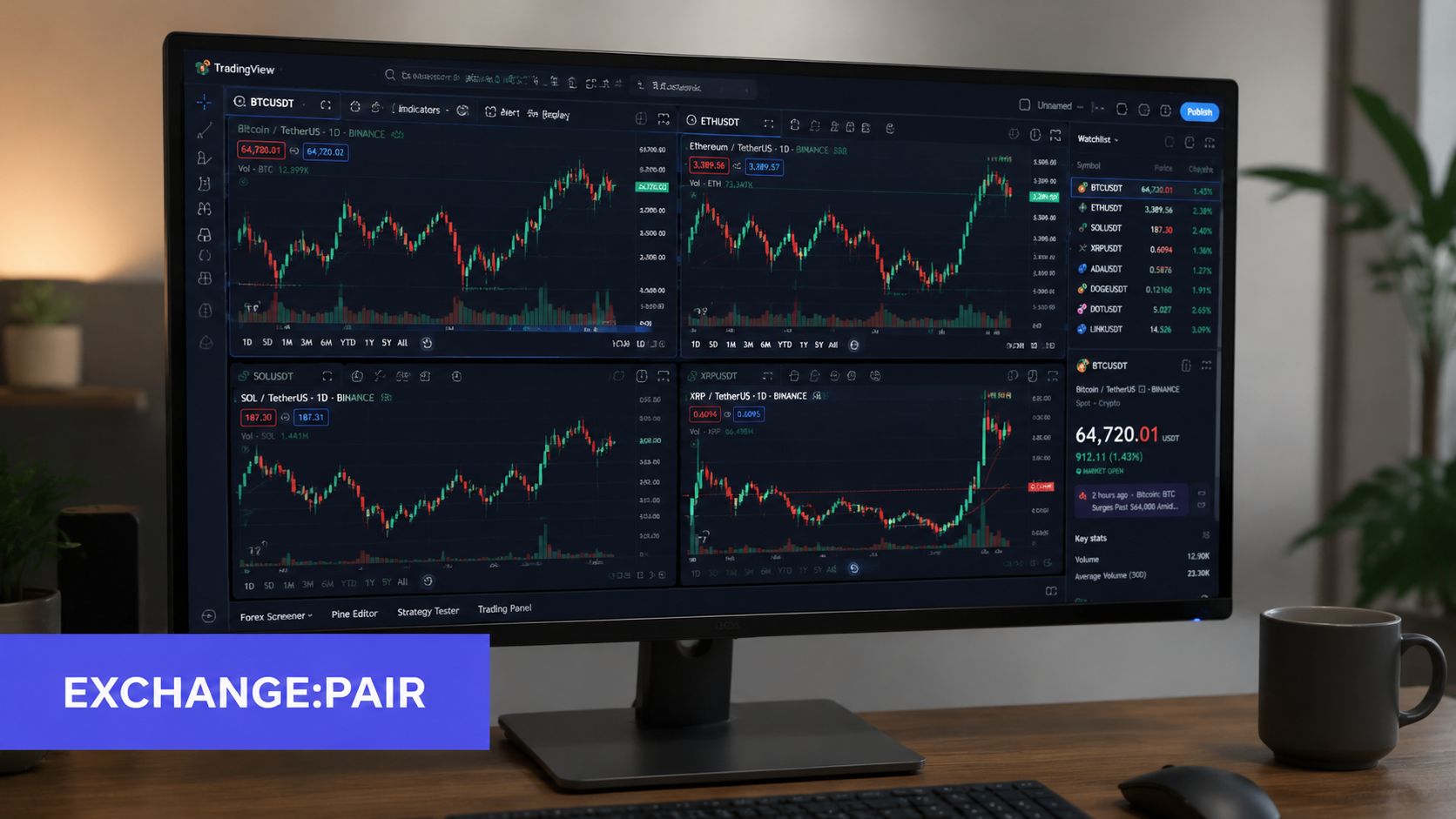
Velo (VELO) trades across multiple venues, and its displayed price can differ by pair, quote currency, liquidity, and timestamp. This guide explains how to validate a VELO market reference before comparing charts or adding a symbol to a TradingView watchlist.
For a market-data review, the useful question is not simply “What is the Velo crypto price?” It is which venue, which pair, which quote currency, and which timestamp produced the number. The public pages used in this guide were checked on August 23, 2026, but they should still be reopened when the article is read because prices and listing status can change. A reference price is a starting observation, not a trading instruction.
Table of Contents
- What the Velo Crypto Price Actually Represents
- Cross-Venue VELO Data Check
- Circulating Supply and the Market Cap Math Behind the Price
- How Liquidity Shapes Every VELO Chart You Read
- TradingView Symbol Formatting for VELO Pairs
- Building and Importing a VELO Watchlist in TradingView
- Common Listing Issues and Quick Fixes
- Quick Reference Card for VELO on TradingView
- Key Terms for VELO Ticker and Symbol Formatting
- Frequently Asked VELO Trading Questions
What the Velo Crypto Price Actually Represents
A token doesn't have one universal dollar price in the same way a listed asset has a single consolidated exchange print. VELO's price is a pair quote on a specific venue at a specific moment. A VELO/USDT market on one exchange can display a different value from a VELO/USD market elsewhere because buyers and sellers, order-book depth, quote assets, and recent transactions differ.
The ticker VELO identifies the asset. It doesn't identify the market in which that asset is being traded. A venue-specific symbol adds the missing context, such as an exchange prefix and quote currency. That distinction matters whenever a trader compares charts, evaluates an apparent discrepancy, or builds a TradingView watchlist.
Why the same token shows different prices
Several checks should happen before treating two displayed prices as contradictory:
- Venue: The exchange or data provider may aggregate different markets.
- Pair: VELO/USDT, VELO/USD, and another quote pair can have different transaction histories.
- Liquidity: A shallow order book can move the last-traded price with relatively little turnover.
- Timestamp: Aggregators and exchange interfaces don't necessarily refresh at the same cadence.
- Market status: A quoted asset may have different availability or activity across venues.
CoinGecko's VELO market page provides an aggregated reference, but it shouldn't replace pair-level verification. Data provided by CoinGecko. The practical interpretation is straightforward: a headline price is a starting observation, not an execution price.
Practical rule: Before comparing VELO charts, write down the venue, pair, quote currency, and timestamp. Without those fields, the comparison is incomplete.
That framework changes how a trader reads the phrase “velo crypto price.” The task isn't to find a number that looks authoritative. It is to determine whether the number describes the market being reviewed and whether the data is suitable for a like-for-like comparison.
Cross-Venue VELO Data Check
A market snapshot is useful only when its source, venue, pair, and timestamp are preserved. The following public pages were checked on August 23, 2026 for market coverage and listing context. They are references for validation, not a live price feed.
VELO source and venue checklist
| Source | What it provides | Validation note |
|---|---|---|
| CoinGecko | Aggregated VELO market reference | Record the timestamp and inspect the listed markets |
| Kraken | Venue and VELO price information | Confirm whether the selected symbol is spot or derivatives |
| TradingView | VELO symbols across supported data venues | Confirm the exact exchange prefix and quote asset |
| Coinbase | Third-party VELO reference data | Do not treat this reference page as proof of tradability; availability is region-dependent |
Data provided by CoinGecko. Coinbase's reference page should not be described as a confirmed Coinbase trading pair without a regional availability check. Likewise, Binance, Binance.US, and Binance Alpha are different contexts and should never be merged into one generic venue label.
How a research-oriented reader interprets the table
The table does not establish one “real” price. It shows that price depends on market structure and data provenance. Before comparing values, record the exact pair, timestamp, venue, and whether the page shows an aggregated reference, a spot market, or a derivatives market.
The correct workflow is comparative:
- Identify the source, venue, and pair behind each number.
- Confirm the symbol in TradingView.
- Compare timestamps and recent market activity.
- Use the venue-specific reference for like-for-like chart comparison.
This approach treats the velo crypto price as a data-validation question first. It also prevents a visible discrepancy from being described as an arbitrage opportunity without evidence about fees, transfer constraints, listing status, settlement timing, and order-book depth.
Circulating Supply and the Market Cap Math Behind the Price
Market capitalization is usually calculated as price multiplied by circulating supply. The denominator can differ across public data pages because providers may use different refresh times or rounding conventions.
On August 23, 2026, Kraken's Velo page reported approximately 17.56 billion VELO in circulation, while Coinbase's Velo reference page rounded the figure to 18 billion and displayed 24 billion as total and maximum supply. These labels describe different token bases and should not be substituted for one another.
Why small price moves matter
With a reference circulating supply of roughly 17.56 billion to 18 billion tokens, a hypothetical $0.001 change in unit price changes implied market capitalization by roughly $17.56 million to $18 million, assuming the circulating base does not change.
This is a mathematical sensitivity example, not a forecast and not a record of cash entering or leaving VELO. Market capitalization combines a selected reference price with a selected supply denominator. In a thin market, the latest trade can move sharply without enough turnover to revalue every circulating token at that level.
Supply quality belongs in every valuation check
A price review needs to record how supply was measured and when the source was checked. Public providers can round the same circulating-supply estimate differently, while total or maximum supply measures a broader token base.
Record the denominator beside the price:
- Circulating supply: The token count used in many market-cap calculations.
- Total or maximum supply: A broader disclosed quantity that is not necessarily circulating.
- Source and verification status: The provider and whether the figure is independently verified.
- Calculation timestamp: When the price and supply were paired.
The same discipline applies when importing VELO into a TradingView watchlist. A symbol and price without its venue, pair, and supply basis can be compared incorrectly. Treat market-cap output as a screening measure, then review the underlying denominator before using it in valuation research.
How Liquidity Shapes Every VELO Chart You Read
A charted VELO price is venue-specific. 24-hour volume and market capitalization answer different questions: market capitalization is an implied valuation, while volume records recent trading activity. Both figures should be read with their source and timestamp rather than carried forward as undated constants.
A candle can look large even when dollar turnover is limited. On a shallow order book, a small group of market orders can move the last-traded price and produce a conspicuous high, low, or close. The print may be valid for that venue, yet still fail to represent the broader VELO market.
Reading depth before reading momentum
A volume-aware review should establish:
- Whether the chart uses the pair the trader intends to trade.
- Whether meaningful bids and asks sit near the last price.
- Whether displayed volume is concentrated on one exchange.
- Whether candles reflect repeated activity or isolated transactions.
These checks determine how much weight to assign technical patterns. Support or resistance formed in a low-depth market can appear reliable while reflecting only a few transactions. A materially different quote on another venue is evidence to compare, not automatically an error.
Price dispersion also changes execution risk. A trader who reads one venue's close but executes on another may face a different spread, order-book depth, and fill level. The apparent signal therefore includes data selection and trading conditions, not only price direction.
The TradingView notation that preserves context
TradingView symbols generally use an exchange prefix followed by the pair, such as KUCOIN:VELOUSDT or KRAKEN:VELOUSD. The prefix identifies the data venue, while the pair specifies VELO and its quote currency.
A generic VELO label removes that context. Because VELO quotes can differ across venues, the complete symbol belongs in the analyst's data-quality check. A watchlist should preserve the venue and pair so that charts, alerts, and execution references remain comparable.
A cleaner watchlist doesn't make a thin market deep. It does make the analyst less likely to compare the wrong instruments.
TradingView Symbol Formatting for VELO Pairs
TradingView-compatible crypto symbols usually follow the form EXCHANGE:PAIR. For VELO, the working examples include KUCOIN:VELOUSDT and KRAKEN:VELOUSD, but a trader should confirm each symbol through TradingView search before saving it. Availability, pair naming, and venue coverage can change, and a plausible string isn't proof that the chart exists.
The formatting has three parts:
- Exchange prefix:
KUCOINorKRAKENidentifies the data venue. - Base asset:
VELOidentifies the token being priced. - Quote asset:
USDTorUSDidentifies the unit used for the quote.
A symbol such as KUCOIN:VELOUSDT therefore isn't interchangeable with KRAKEN:VELOUSD. Both may represent VELO, but they point to different venue and quote contexts. The generic ticker is useful for discovery, while the full symbol is necessary for chart selection and watchlist organization.
A practical verification sequence
A TradingView user can reduce symbol errors with a short check:
- Search the venue-prefixed string.
- Confirm that the result identifies VELO and the intended quote asset.
- Open the chart and compare the displayed level with the selected venue.
- Add only the confirmed symbol to the relevant watchlist.
The distinction between a ticker and a chart symbol is covered in this guide to crypto ticker symbols. That terminology helps prevent a common mistake, treating VELO as if it were already a complete market identifier.
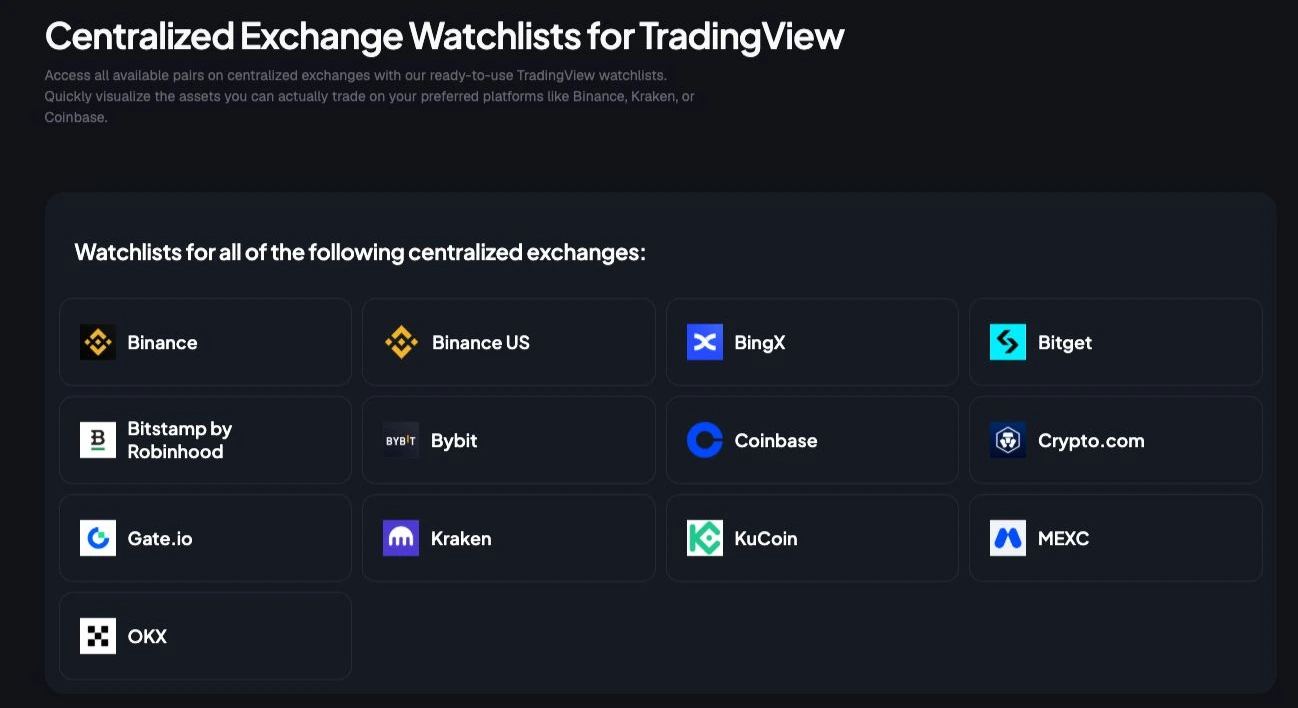
TradingList can provide TradingView-compatible lists organized by supported centralized exchange or market capitalization. Its role is symbol organization and export, not price validation, execution, signals, or financial advice. The import and chart-confirmation steps still happen inside TradingView, where the user can check whether the venue-specific pair is available.
Building and Importing a VELO Watchlist in TradingView
A VELO watchlist works best when it separates venue comparisons instead of collapsing every pair into one generic ticker group. The examples below use symbols visible in TradingView's market pages on August 23, 2026 and should still be rechecked before import.
| Venue group | Example symbol | Primary use |
|---|---|---|
| KuCoin | KUCOIN:VELOUSDT | Review a USDT-quoted venue market |
| Kraken | KRAKEN:VELOUSD | Review a USD-quoted venue market |
| Other supported venue | Exact symbol confirmed through TradingView search | Compare another source of market data |
The examples are deliberately venue-specific. A symbol should be added only after TradingView search confirms the exact pair and market type. A plausible string is not proof that the chart still exists.
Three ways to build the list
Manual construction suits a small comparison set. Search each confirmed symbol, add it to a custom TradingView watchlist, and label the list by venue or quote currency.
A prepared file suits a larger existing universe. The user can obtain a TradingView-compatible .txt, review the symbols, and perform the import inside TradingView. The workflow still requires a post-import check for missing or duplicate entries.
A filtered universe helps when VELO needs to sit beside comparable assets. TradingList offers exchange and market-cap watchlists, along with narrower supported filters, while its crypto symbols guide explains the notation used in symbol lists.
The analyst should keep one list for venue comparison and another for broader market review. Mixing them can obscure whether a price difference comes from the asset or from the selected exchange pair.
Common Listing Issues and Quick Fixes
VELO symbol problems usually come from a mismatch between the trader's intended market and the string entered into TradingView. The fix is rarely complicated, but it must be specific.
| Problem | Likely cause | Quick fix |
|---|---|---|
| The expected pair doesn't appear | The venue or quote asset isn't available under that name | Search VELO first, then filter by venue and confirm the quote |
| Two charts show different levels | Different exchange, pair, depth, or timestamp | Compare full EXCHANGE:PAIR symbols, not the generic ticker |
| A saved chart disappears | The listing name or venue mapping changed | Search the current VELO result and replace the stale symbol |
| An import drops entries | Duplicate or normalized symbols collide | Review the imported file and retain unique venue-prefixed symbols |
A missing result doesn't prove that VELO isn't traded on a venue. It may mean the expected quote currency isn't supported, the symbol uses a different convention, or the charting data source doesn't expose that market in the anticipated form.
The duplicate problem deserves attention in particular. Two rows that look like VELO can refer to different pairs, while two identical rows may be treated as one entry during import. A clean file should preserve the exchange prefix and quote asset so the user can distinguish markets after import.
The crypto pairs list guide provides additional terminology for separating base and quote assets. That separation makes troubleshooting reproducible: identify the intended venue, identify the intended quote, search the normalized symbol, and then compare the chart against the same pair on the venue interface.
Diagnostic habit: If a VELO chart looks wrong, validate the symbol before changing the analysis. A formatting error can look like a market event.
Quick Reference Card for VELO on TradingView
The following card keeps the main validation fields together without treating them as one universal market quote.
| Item | Reference |
|---|---|
| Generic ticker | VELO |
| KuCoin example | KUCOIN:VELOUSDT, verify in TradingView |
| Kraken example | KRAKEN:VELOUSD, verify in TradingView |
| Coinbase context | Reference data; verify regional tradability separately |
| Circulating-supply reference | Roughly 17.56 billion to 18 billion VELO, depending on source and rounding |
| Total and maximum supply reference | 24 billion VELO on the Coinbase reference page |
| Source check date | August 23, 2026; reopen every source before reuse |
Three-step checklist
- Search: Enter the venue-prefixed symbol and confirm the pair.
- Compare: Check the displayed venue price, quote currency, and market activity.
- Import: Add confirmed symbols manually or import a reviewed TradingView-compatible file.
The card's most important field isn't a price. It is the full symbol. A researcher who records KUCOIN:VELOUSDT has preserved more analytical context than one who records only VELO.
The supply figures also need labels. Circulating supply supports market-cap calculations, while total supply describes a broader token quantity. Those fields shouldn't be substituted for one another in a research note or screening list.
Key Terms for VELO Ticker and Symbol Formatting
Ticker: The short asset identifier. VELO names the token, but it doesn't identify a trading venue or quote currency.
Pair: The asset being priced against a quote asset. In VELOUSDT, VELO is the base asset and USDT is the quote asset.
Quote currency: The unit used to express the VELO value. USD and USDT can appear similar in a charting workflow, but they represent different quote markets.
Exchange prefix: The venue identifier before the colon. In KUCOIN:VELOUSDT, KUCOIN tells TradingView which market data source the symbol refers to.
Symbol normalization: Converting inconsistent ticker and pair labels into a consistent format, such as EXCHANGE:PAIR, so lists can be reviewed and imported without confusing generic tickers with venue-specific instruments.
TradingView watchlist: A saved collection of chart symbols. A useful VELO list contains complete venue-prefixed pairs rather than a bare VELO label wherever venue comparison matters.
Frequently Asked VELO Trading Questions
Which venue has the tightest VELO spread?
No venue holds that position permanently. VELO's spread changes with the trading pair, order-book depth, and timestamp. Compare current bid and ask quotes on the selected venue and record the timestamp before comparing them with an aggregated reference.
Where can circulating supply be confirmed?
On August 23, 2026, Kraken reported roughly 17.56 billion VELO in circulation and Coinbase rounded the figure to 18 billion. Coinbase displayed 24 billion VELO as total and maximum supply. Keep each source, label, and timestamp beside any market-cap calculation.
How often does TradingView refresh exchange data?
TradingView receives data through the selected exchange feed and instrument. Refresh behavior can therefore differ by venue. Check the symbol's timestamp and current chart activity instead of assuming every VELO market updates at the same pace.
Is VELO supported on major centralized venues?
Public pages show VELO reference data on CoinGecko and Coinbase, venue information on Kraken, and several venue-specific symbols in TradingView. A Coinbase reference page is not proof of regional tradability. Treat Binance, Binance.US, and Binance Alpha as separate contexts, and confirm the exact venue, pair, and market type before adding a symbol.
TradingList provides TradingView-compatible watchlists organized by supported centralized exchange, market capitalization, category, and ecosystem. Its filtering and export workflows can help traders assemble VELO pair lists, after which each venue-prefixed symbol should be verified in TradingView before import or charting. Visit TradingList to review the available lists.