AMP is best tracked as a venue-specific market, not as a single universal number. The most useful answer to the AMP crypto price question is not a fixed quote, but a repeatable method for checking the current venue, quote currency, liquidity context, and TradingView symbol before you chart or compare it.
The common habit is to search for “AMP,” copy the first displayed price, and build a watchlist around it. That often creates avoidable confusion. A bare ticker can point to an aggregated feed or an unintended venue, while market data sites and exchanges may show different readings because they sample different markets and apply different methodologies.
For AMP, price analysis starts with symbol normalization. A chart labeled AMP is not the same as a venue-qualified symbol such as COINBASE:AMPUSD or BYBIT:AMPUSDT. The prefix identifies the venue, the pair identifies the quote asset, and both affect the candles, volume, alerts, and apparent volatility.
Table of Contents
- What AMP Crypto Price Means in Practice
- How to Check Current Price, Market Cap and Volume
- Why Historical Context Still Matters
- Why Data Providers Quote AMP Differently
- The TradingView Symbol Format for AMP
- Exchange and Pair Search Examples for AMP
- Adding AMP to a TradingView Watchlist
- Volume, Listings and the Liquidity Story Behind the Price
- Why AMP Market Cap Figures Vary Across Sources
- Quick Reference Checklist for AMP Price and Symbol Work
- Frequently Asked Questions About AMP on TradingView
What AMP Crypto Price Means in Practice
When someone asks for the AMP crypto price, the first step is to identify the source of the quote. A price from an exchange page, an aggregator, and a TradingView chart may all be useful, but they are not automatically interchangeable. Each one can reflect a different venue set, quote currency, refresh schedule, and supply methodology.
That does not mean one source is wrong by default. It means the number only becomes useful after you identify where it came from and what market it represents. For current reference, traders can compare AMP data on the CoinGecko AMP market page and then verify the exact tradable symbol inside TradingView.
Start with the venue, not the ticker
A venue-specific TradingView symbol follows the EXCHANGE:PAIR convention. Search examples include:
COINBASE:AMPUSDBYBIT:AMPUSDTBINANCE:AMPUSDTKRAKEN:AMPUSD
These are examples for search and verification, not universal guarantees of current spot availability, contract type, or TradingView support. A bare AMP search can return an aggregated or default instrument. That may be useful for broad reference, but it is not the right starting point for an execution-oriented chart or alert.
Practical rule: Every AMP chart should record the exchange prefix and quote currency beside the asset name.
The same discipline applies to watchlist imports. Before comparing AMP with other assets, verify the venue, pair, and decimal display. A watchlist containing only AMP hides the most important part of the data source.
How to Check Current Price, Market Cap and Volume
AMP's price is only the first field to verify. Market cap depends on the supply assumption used by the provider, and volume depends on which venues are included in the calculation. For that reason, the current number should always be checked at the time of research rather than copied from a fixed article snapshot.
A practical review sequence looks like this:
Open a current market data source such as the CoinGecko AMP market page.
Note the quote currency and confirm whether the displayed figure is exchange-specific or aggregated.
Check how market cap is defined, especially whether the page refers to circulating supply or another supply basis.
Review the reported volume and remember that turnover depends on the source basket.
Compare that reference with the exact venue-qualified symbol you plan to use in TradingView.
| Metric | What it measures | How to read it for AMP |
|---|---|---|
| Price | A sampled or venue-specific quote | Confirm the exchange and quote currency |
| 24-hour change | Movement across the source's rolling period | Check the source and timeframe before comparing it |
| Market cap | Price multiplied by a reported supply basis | Verify whether the provider is using circulating or another supply method |
| 24-hour volume | Reported turnover across included venues | Compare it with the specific market you plan to chart or trade |
Use a fixed sequence: verify the quote, identify the supply basis, then check which venues produce the volume. A headline market cap is incomplete without those three checks.
Why Historical Context Still Matters
AMP's chart still needs context before any short-term move is interpreted. A recent candle, by itself, does not show whether the asset is trading near prior highs, prior lows, or inside a much longer compression phase. That is why a full-history chart is more useful than a zoomed-in price pane on its own.
For current historical context, use the CoinGecko AMP historical data as a reference point, then compare it with the exact venue chart you plan to use in TradingView. The purpose is not to copy old figures into your notes. It is to understand the scale of the chart and avoid treating a small move as a structural change.
What the long chart changes
A long-range chart gives a better benchmark than a single recent move. When importing AMP into TradingView, preserve the full chart context and verify the symbol and venue, because a compressed price scale can make minor moves look more important than they are.
This is a scale check, not a prediction. It helps separate a larger candle from evidence of a lasting trend change.
Why Data Providers Quote AMP Differently
AMP price is partly a ticker-format problem and partly a methodology problem. One page may display an exchange-specific quote, another may display an aggregated reference, and a third may calculate market cap using a different supply basis.
That is why one displayed number should not be treated as universal. Small quote differences can come from different venue baskets, quote currencies, or refresh schedules. Market-cap differences can come from supply methodology as much as from price.
| Source type | What can differ | Why it matters |
|---|---|---|
| Exchange page | Venue, pair, and order flow | Best for checking the market you actually plan to use |
| Aggregator page | Included venues and weighting | Useful for reference, but not always identical to execution markets |
| TradingView chart | Selected data feed and instrument | Determines the candles, alerts, and visible volume on your chart |
Volume shows the larger practical gap. A small price difference may not alter a directional view, yet a different exchange basket can materially change the apparent liquidity. Use the exact venue behind the candles and alerts, then treat aggregator figures as reference points rather than interchangeable execution prices.
The TradingView Symbol Format for AMP
TradingView-compatible symbols use an exchange prefix followed by the trading pair. For AMP, common pair formats may include AMPUSDT, AMPUSD, AMPBTC, and AMPETH, but the chart becomes venue-specific only after the prefix is added.
Search examples include:
BITSTAMP:AMPUSDKRAKEN:AMPUSDCOINBASE:AMPUSDBYBIT:AMPUSDTBINANCE:AMPUSDT
These strings are search examples only. They should be verified inside TradingView and on the relevant venue at the time of use. A bare AMP search can return an aggregated instrument or an unexpected result. The symbol search box should be treated as a verification tool, not as a passive lookup field.
The pair also changes the interpretation. AMPUSDT measures AMP against a dollar-linked stablecoin, while AMPUSD uses a fiat quote where supported. AMPBTC and AMPETH show relative performance against Bitcoin or Ether rather than against a dollar-denominated unit.
Sub-cent instruments may display extra decimal places. That added precision is useful because a change that looks invisible in a rounded watchlist column can still produce a different candle or alert threshold. A venue prefix also changes the data series attached to an alert, so one AMP market should not be treated as interchangeable with another without checking the exact symbol.
For a broader reference on ticker normalization and pair naming, the crypto ticker symbols guide provides a useful naming framework. TradingView may not support every pair on every venue, so the final check must happen inside Symbol Search.
Exchange and Pair Search Examples for AMP
AMP may appear on multiple venues and in multiple quote formats, but any exchange list should be treated as a working set of search examples rather than an authoritative directory. The most useful pairs for charting are usually the instruments that match your intended execution venue and quote currency.
| Exchange | Pair example | TradingView search example |
|---|---|---|
| Coinbase | AMP/USD | COINBASE:AMPUSD |
| Coinbase | AMP/USDT | Search exchange-supported variant |
| Kraken | AMP/USD | KRAKEN:AMPUSD |
| Kraken | AMP/EUR | Search exchange-supported variant |
| Bitstamp | AMP/USD | BITSTAMP:AMPUSD |
| Binance | AMP/USDT | BINANCE:AMPUSDT |
| Binance | AMP/BTC | BINANCE:AMPBTC |
| Binance | AMP/ETH | BINANCE:AMPETH |
| Binance | AMP/TRY | BINANCE:AMPTRY |
| Bybit | AMP/USDT | BYBIT:AMPUSDT |
| OKX | AMP/USDT | Search exchange-supported variant |
| Huobi | AMP/USDT | Search exchange-supported variant |
| Gate.io | AMP/USDT | Search exchange-supported variant |
| MEXC | AMP/USDT | Search exchange-supported variant |
The strings in the table are search inputs, not a guarantee that every venue-pair combination is currently available in every TradingView data environment. A symbol should be selected only after the search result confirms the exchange, pair, and instrument type.
Which quote pairs deserve attention
AMP/USDT is the practical default for dollar-linked monitoring. AMP/USD is useful when the trader's execution account and chart feed are both tied to a fiat market. AMP/BTC and AMP/ETH answer a different question, namely whether AMP is strengthening or weakening relative to major crypto assets.
The crypto pairs list guide is useful when organizing pair variants, but the final venue check remains essential. Exchange prefixes prevent a watchlist from mixing similarly named instruments.
Adding AMP to a TradingView Watchlist
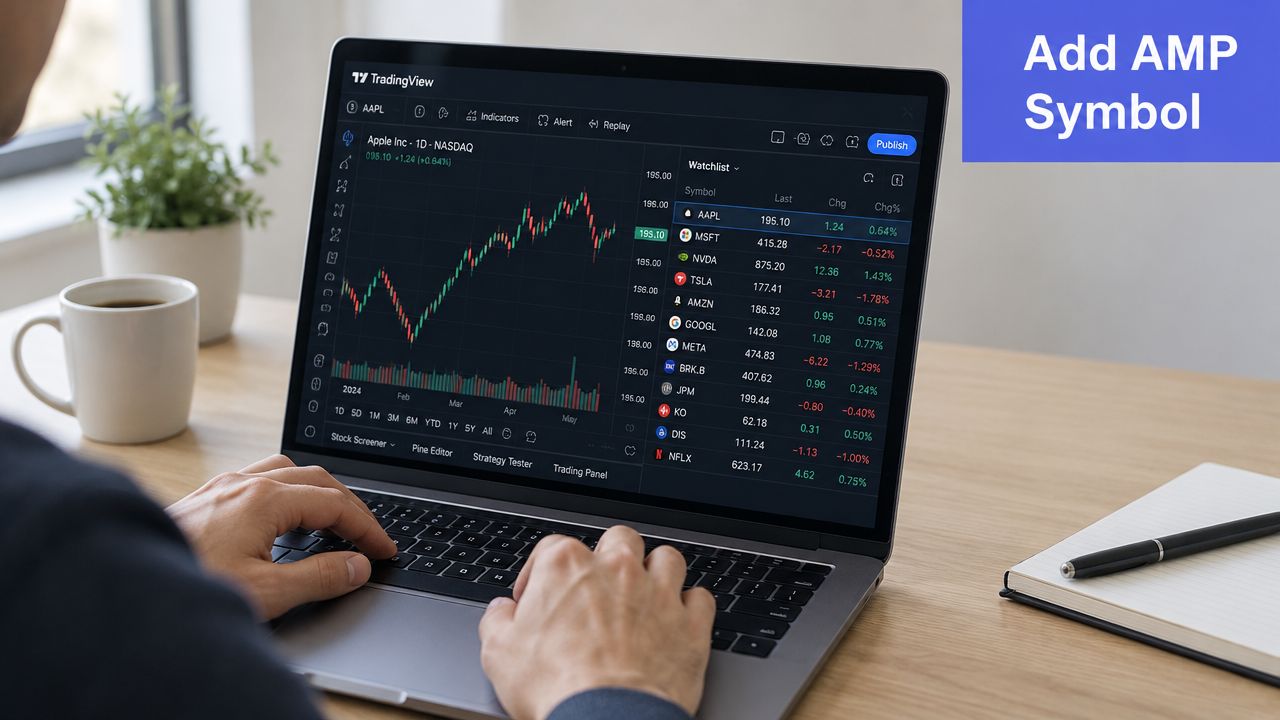
Manual setup starts in TradingView's Symbol Search dialog. The cleanest method is to enter the complete exchange-prefixed symbol, such as BINANCE:AMPUSDT, rather than searching for AMP and selecting the first result.
Users on different venues should verify that the selected result is the intended instrument before saving it. If TradingView returns multiple AMP results, confirm the venue name, quote currency, and instrument label. Spot and derivative instruments should not be mixed into the same watchlist unless that is the user's intent.
A clean import sequence
After confirming the symbol, the trader can right-click the chart and choose Add to Watchlist, or add it from the search results. For a text-based import, a comma-separated file containing the same exchange-prefixed strings keeps the list explicit and reduces ambiguity.
The TradingView screener watchlist workflow is relevant when AMP is being reviewed alongside a filtered universe. The important distinction is between a generic asset ticker and a venue-specific symbol.
A watchlist column may round a sub-cent quote, while the chart pane retains more price-scale precision. That display difference does not necessarily indicate a feed error. It does mean the chart and the watchlist should be checked together before a trader creates a narrow alert.
Volume, Listings and the Liquidity Story Behind the Price
AMP's market coverage can make its liquidity look broader than it is. Listings and market pages show where AMP may be available for reference or trading, but they do not prove that each market has equal depth or efficient execution.
The same caution applies to reported volume. A token may appear on many markets while actual activity remains concentrated in a smaller group of venues. Thin pairs can carry wider spreads, weaker order books, and more slippage.
| Market factor | What to check | Why it matters |
|---|---|---|
| Listing presence | Whether AMP appears on the venue and pair you want | A listing is an access point, not proof of usable depth |
| Reported volume | How the provider defines turnover | Aggregated volume may not match the market you trade |
| Order book depth | Bid and ask size on the intended venue | Depth affects slippage and execution quality |
| Pair concentration | Which quote markets attract most activity | Activity is often uneven across pairs |
Liquidity check: A listed market is an access point, not proof that the market can absorb a large order without slippage.
For execution, compare the quoted volume with the order book on the specific exchange and pair. A move on one thin market needs confirmation from that venue and, where available, from other major AMP pairs. Treat reported turnover as market activity, then verify depth before interpreting it as reliable price support.
Why AMP Market Cap Figures Vary Across Sources
AMP market-cap differences begin with the symbol and venue, then extend to the supply basis. Aggregators may sample different AMP price feeds, while their circulating-supply fields can update on separate schedules.
| Source | AMP price used | Supply basis | Result |
|---|---|---|---|
| Aggregator snapshot | Blended or sampled market data | Provider-reported methodology | A reference market cap that depends on the provider's rules |
| Exchange snapshot | Venue-specific market price | May not match aggregator methodology | Useful for venue comparison, but not always identical to aggregator figures |
| Other dashboards | Their sampled quote | Their reported supply method | Figures can vary across sources |
The comparison shows why matching labels do not guarantee matching calculations. Before recording a figure, log the quoted price, venue or aggregation method, supply basis, and snapshot time. Exchange-prefixed symbols in TradingView can also represent a different tradable market from an aggregator's blended reference, so the candles and price may not align exactly.
Market cap is a calculation, not capital entering AMP. It multiplies a reported price by a reported supply. Keep circulating and fully diluted figures separate in research notes, especially when comparing dashboards or checking a watchlist against live exchange data.
Quick Reference Checklist for AMP Price and Symbol Work
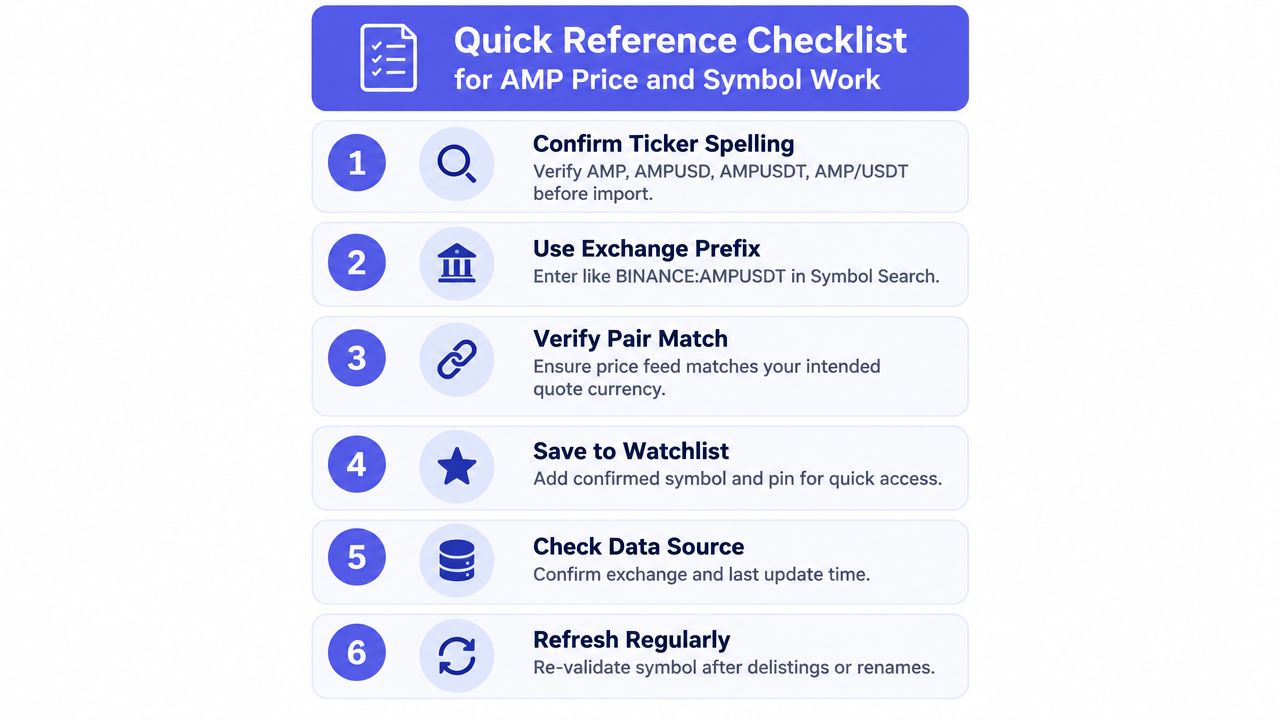
Confirm ticker spelling: Check
AMP,AMPUSD,AMPUSDT,AMP/USDT,AMP/USD, andAMPBTCbefore importing.Use the exchange prefix: Enter a format such as
BINANCE:AMPUSDTin Symbol Search.Verify the pair: Confirm that the quote currency matches the intended market.
Check market context: Compare venue data with a current reference source such as the CoinGecko AMP market page.
Validate supply basis: Use clearly labeled market-cap methodology, not an unmarked supply figure.
Refresh the workflow: Recheck symbols after listing or naming changes, and repeat checks when the source updates.
Frequently Asked Questions About AMP on TradingView
What is the correct Binance symbol for AMP?
A common search example for the USDT pair is BINANCE:AMPUSDT. The exact result should be verified in TradingView because pair availability and instrument types can differ.
Why does TradingView show another AMP price?
TradingView may be displaying a different venue, quote currency, or instrument type. Compare the exchange prefix and pair before assuming there is a feed problem.
Can AMP go in an import file?
Yes, a watchlist-style file should use confirmed exchange-prefixed symbols, one consistent format per entry. The platform's accepted import behavior should be checked at the time of use.
Which AMP pair should I analyze first?
Start with the pair that matches the venue and quote currency you actually plan to monitor or trade. For most users, that means verifying a dollar-linked or fiat-quoted market first, then comparing it with any relevant crypto-quoted variants.
TradingList provides TradingView-compatible watchlists organized by supported centralized exchange, market capitalization, category, and ecosystem, with custom filters and tools such as ScreenerList, DeltaList, and FusionList for building and comparing symbol universes. Visit TradingList to organize verified AMP venue symbols and export a cleaner watchlist workflow.