
A lot of crypto traders open TradingView to scan the market and end up doing database maintenance instead. The watchlist starts clean, then broken tickers pile up, exchange coverage gets patchy, and the same asset appears in multiple formats depending on where the list came from. By the time the screener is ready, attention has already been spent on cleanup work that doesn't improve analysis.
That problem gets worse at scale. An educator maintaining teaching lists, a researcher tracking ecosystems, and an advanced trader monitoring exchange-specific universes all hit the same wall. The issue isn't adding symbols once. The issue is keeping a TradingView workspace usable as listings, delistings, renames, and formatting differences keep moving underneath it.
Table of Contents
- Beyond the Blank Watchlist
- The Hidden Cost of Manual Watchlist Management
- Importing Your First Curated Crypto Watchlist
- Activating Your Watchlist in the TradingView Screener
- Advanced Management with Specialized Lists
- Troubleshooting Common Symbol and Import Issues
Beyond the Blank Watchlist
A blank watchlist looks simple. In crypto, it rarely stays that way.
A trader builds a Binance list by hand, adds a few ecosystem names, then bolts on a category list for DeFi and another for newer exchange listings. Two weeks later, the workspace is cluttered with stale symbols, inconsistent prefixes, and a growing hesitation to trust what the list is showing. The watchlist stops feeling like a trading tool and starts acting like a liability.

Why the old workflow breaks
The usual approach is too manual. Symbols get added one by one, exported from random datasets, or copied from old notes. That might work for a small stock watchlist. It doesn't hold up well when crypto listings and naming conventions shift often.
TradingView's watchlist system is strongest when it becomes the center of the workflow, not the end result. Its watchlists let users track assets in one place and review summary rows such as minimum, maximum, average, and median values across the full list, while also surfacing news, fundamentals, notes, and sorting controls inside the platform, as described in TradingView's watchlist guide.
A useful crypto watchlist isn't just a storage bin for tickers. It's the input layer for scanning, chart review, and repeatable market research.
A better starting point
The more durable approach is to begin with a maintained symbol universe, then narrow from there. That means importing an exchange watchlist, a market-cap watchlist, a category watchlist, or an ecosystem watchlist that already matches TradingView formatting.
Tools designed with ready-to-import lists modify the workflow. Instead of constructing every list from scratch, traders can start with organized symbol sets and spend their time on screening and chart review. A service like TradingList fits that workflow by packaging TradingView-compatible crypto watchlists around the dimensions traders use, such as exchange, market cap, category, and ecosystem.
The Hidden Cost of Manual Watchlist Management
Sunday night is a common failure point. A trader sits down to prep for the week, opens a crypto watchlist that looked clean a few days ago, and finds dead pairs, duplicate symbols, and assets that no longer match the venue they meant to track. The list still exists, but the workflow is already compromised.
Manual watchlist building creates that problem because the job is bigger than adding tickers. Someone has to keep the list current after exchange delistings, symbol renames, contract migrations, and inconsistent naming across data sources. In crypto, that maintenance load never really stops.

Manual versus structured workflows
The trade-off is simple. Manual control feels precise on day one. It usually becomes expensive by week three.
| Workflow | What it looks like | Where it breaks |
|---|---|---|
| Manual build | Add symbols one by one, paste from spreadsheets, clean imports by hand | Ticker mismatches, duplicate entries, stale symbols, recurring cleanup |
| Screener export only | Export a temporary result set and send it into a watchlist | Useful for one-off scans, weak for ongoing maintenance |
| Curated import workflow | Start from a pre-formatted symbol universe built for TradingView | Lower setup time, fewer mapping errors, easier recurring review |
The cost is not just administrative. It changes what gets reviewed. A broken symbol disappears from chart rotation. A category list with mixed venues gives noisy screener results. A watchlist that looks organized in the sidebar can still be structurally wrong for actual trading decisions.
The Maintenance Problem Traders Ignore
This is the part many guides skip. Building a watchlist is easy enough. Keeping a crypto watchlist accurate is the demanding task.
I have seen the same pattern repeatedly. Traders spend an hour assembling a solid list, then let it drift because maintenance feels minor compared with charting and execution. A month later, the list has blind spots. Some assets are gone, some have the wrong exchange prefix, and some themes are polluted with symbols that no longer belong. The screener output starts looking inconsistent, but the problem is the input universe.
That is why a maintained symbol set saves more time than another tutorial on adding symbols manually. The edge comes from reducing list decay.
Practical rule: if watchlist cleanup shows up on your calendar every week, the list source is the problem.
What Actually Saves Time
The fix is operational. Separate watchlist maintenance from analysis and use a source that is already structured for TradingView.
That usually means:
- Starting from a maintained universe: Use lists that are refreshed outside your charting session so you are not reconciling renamed or removed pairs by hand.
- Splitting lists by job: Exchange lists, market-cap lists, category lists, and ecosystem lists should stay separate. One giant crypto watchlist creates messy screener output.
- Using TradingView-ready formatting: Clean symbol formatting removes the copy-paste repair work that generic exports often create.
- Reviewing list quality on a schedule: Spend a few minutes checking the list source, not hours rebuilding the list itself.
For traders handling more than a handful of markets, this becomes a workflow design issue, not a watchlist feature issue. The traders who save time are usually the ones who stop treating watchlists as static files and start treating them as maintained inputs. For more examples of that workflow, the TradingList blog on crypto watchlist management is a useful reference.
A trader does not need a bigger watchlist. A trader needs a cleaner one that stays usable without constant repair.
Importing Your First Curated Crypto Watchlist
The fastest way to improve a TradingView screener watchlist workflow is to stop typing symbols into the sidebar and import a clean list instead.
That change matters because formatting is where many crypto workflows fail. One source uses spot tickers, another uses generic names, and a third exports symbols that need manual adjustment before TradingView accepts them. Import-ready files remove that layer of friction.
A TradingList workflow fits that step by giving the import process a cleaner starting point: a ready-to-import symbol universe organized around exchanges, market cap, categories, or ecosystems.
Pick the Right Universe First
Before importing anything, decide what the list is for. Good watchlists are narrow enough to stay relevant.
Common starting points include:
- Exchange watchlists for traders who want to monitor only assets tradable on a specific venue
- Market-cap watchlists for separating large-cap names from smaller and more speculative segments
- Category watchlists for themes such as AI, gaming, Layer 1, oracle, RWA, or other functional buckets
- Ecosystem watchlists for blockchain-specific research, such as assets associated with a given network
A researcher might want an ecosystem list. A scalper might prefer an exchange list. An educator may need several category lists to teach sector rotation without rebuilding the universe for every lesson.
Use TradingView-Compatible Imports
There are public examples of this workflow. GitHub Gist files with TradingView-compatible crypto exchange watchlists show that raw text imports can work cleanly when the symbol formatting is already correct, without extra mapping or cleanup.
The mechanics are straightforward:
- Choose a list with a clear purpose. Avoid importing everything at once unless the goal is broad exploratory coverage.
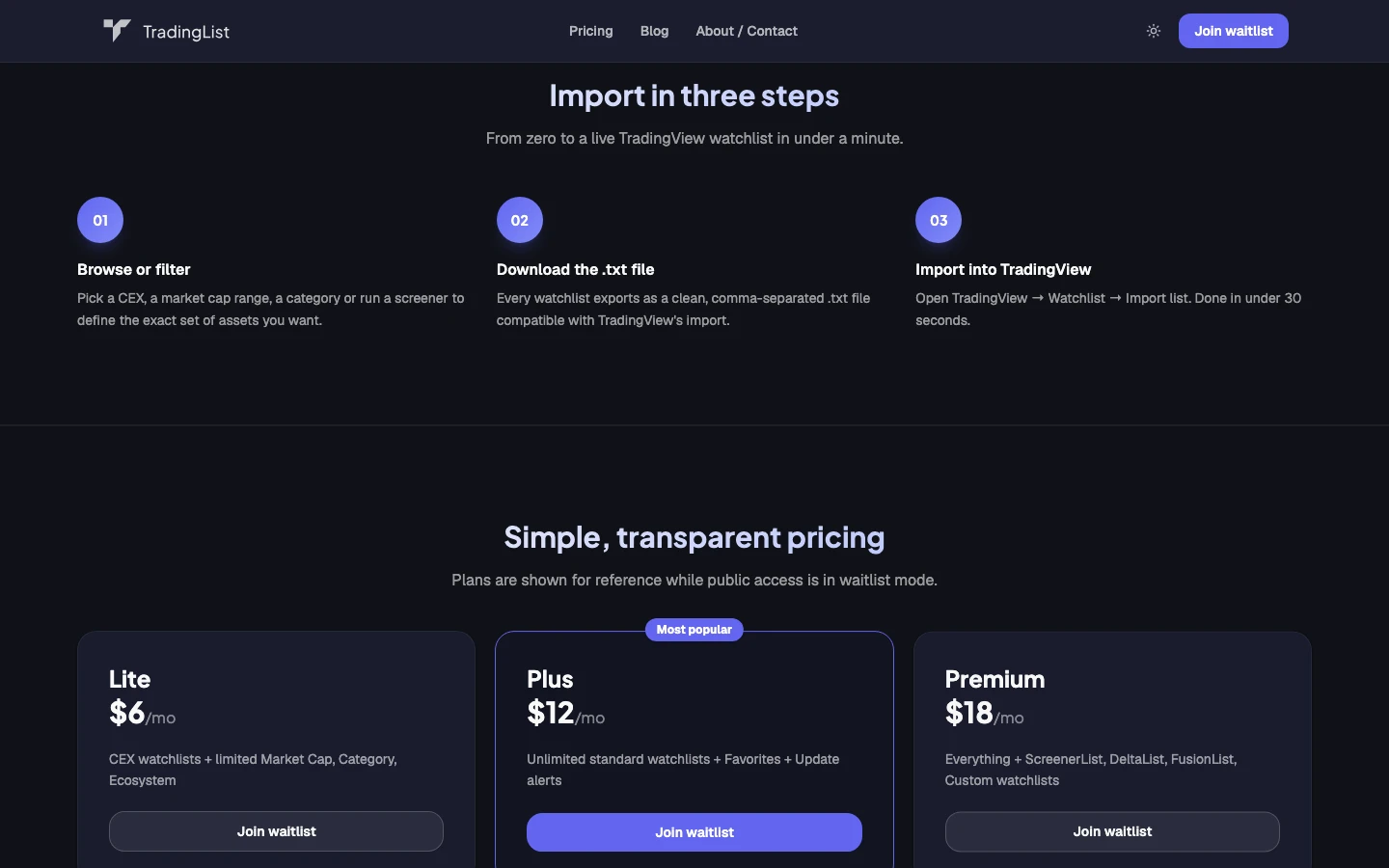
- Download the file in TradingView-ready format. The key requirement is compatibility with TradingView symbol naming.
- Open TradingView and go to the watchlist panel.
- Use the import watchlist function. Paste or upload the formatted symbol list.
- Name the watchlist based on its use case. "Binance Layer 1s" is better than "New List 4."
Clean imports save the most time when the naming convention is already normalized before the file reaches TradingView.
Where Curated List Tools Fit
This is the point where dedicated crypto watchlist tools become useful as productivity systems rather than research toys. In TradingList, standard watchlists handle the core imports, while custom crypto watchlists help when a trader needs a narrower universe than any default grouping provides.
For readers who want deeper workflow ideas around list design and TradingView-oriented organization, the archive at TradingList Blog is one place to compare practical setups without relying on generic screener tutorials.
Activating Your Watchlist in the TradingView Screener
An imported list becomes far more useful once it becomes the screener's universe.
This is the underused part of the TradingView screener watchlist workflow. Instead of screening the full crypto market, the trader can point the screener at one specific watchlist and filter only that symbol set. The result is a narrower, more relevant output that aligns with how most crypto traders operate.
Use the Watchlist as the Screener Universe
TradingView added a strong bridge between watchlists and screeners. The platform's screener-to-watchlist integration lets users import custom watchlists into the screener, apply filters and flags, and analyze pre-selected symbol universes across stocks, ETFs, and crypto, with setup reduced from hours to minutes according to TradingView's product walkthrough on watchlist-screener integration.
That solves a common problem. A trader doesn't usually want "all crypto." A trader wants "all assets in this exchange watchlist" or "this ecosystem list with enough activity to matter today."
Keep the Filters Lean
The biggest mistake after selecting a strong watchlist is overbuilding the filter stack.
A practical method is to use a small set of high-signal conditions, then move to charts for validation. ChartMini's screener workflow analysis recommends keeping the stack to 3–5 filters, such as price, volume, RSI, or moving averages, and treating screener output as a candidate list rather than a buy signal. That keeps the workflow honest: the watchlist narrows the universe, the screener ranks attention, and the trader still reviews each chart before acting.
A focused screener stack might include:
- Liquidity first: volume or turnover thresholds to avoid dead pairs
- One momentum measure: RSI or a basic moving average relationship
- One structural filter: price above a chosen moving average, or a market state condition
Turn Results into Review Lists
Once the filtered results appear, the watchlist workflow gets even better if the trader marks, flags, or splits names into sub-lists.
TradingView's integration supports using existing watchlists inside the screener and then creating more specific subsets based on attached flags. That makes it possible to start with a broad imported universe and end with smaller review lists for charting, education, or desk handoff.
Screeners are best at ranking attention. Charts are where candidates earn their place.
Advanced Management with Specialized Lists
Monday's watchlist is often wrong by Thursday.
A few pairs get delisted. A ticker changes. An exchange rolls out a new market before your manual list catches up. If the watchlist feeding your TradingView screener is stale, the screener still runs, but the output gets noisier and the review process slows down. That maintenance problem is easy to ignore because it shows up as friction, not as one obvious error.

Specialized Lists Reduce Watchlist Decay
The practical fix is to stop treating a watchlist as a one-time build. Use maintained base universes, and when the workflow depends on filters, let the filtered view update from the current source before creating temporary working lists on top of it.
That approach holds up better in crypto because coverage shifts constantly across venues and sectors. A trader may need one list for exchange-specific execution, another for market-cap tiers, and a third for category rotation. Keeping those as separate maintained universes is faster than rebuilding one giant list every time the market focus changes.
I prefer to split the job into stable lists and disposable lists. Stable lists define coverage. Disposable lists hold this week's actual research set.
Tool Types That Help at Scale
Once the symbol count grows, plain watchlists stop being enough on their own. Inside TradingList, the useful workflow tools are the ones that answer specific maintenance questions before symbols hit the screener.
| TradingList workflow tool | Practical use |
|---|---|
| Standard watchlists | Load a maintained universe by exchange, market cap, category, or ecosystem |
| Custom crypto watchlists | Keep a tighter list for a desk, strategy, or teaching workflow |
| ScreenerList | Clean and filter the universe before importing it into TradingView |
| DeltaList | Check what was added, removed, or renamed since the last version |
| FusionList | Merge overlapping lists without carrying duplicate symbols into review |
These TradingList workflow tools are not idea generators. They save time by reducing list drift, duplicate coverage, and cleanup work inside TradingView.
If symbol formatting, imports, or list behavior gets messy, the TradingList watchlist FAQ for import and symbol issues is a better reference point than trial-and-error inside a live workspace.
A Setup That Stays Manageable
A durable structure usually has four layers:
- Base layer: a few maintained master universes, such as top market-cap coins, exchange-specific spot pairs, or sector lists
- Research layer: temporary subsets for narratives, ecosystem rotations, or event-driven names
- Change layer: comparison tools that show which symbols entered, left, or overlapped across lists
- Execution layer: the shorter active list sent into the screener and then onto charts
The trade-off is straightforward. More specialized lists create more structure to manage, but they cut down chart waste and keep the screener focused on symbols you can indeed review and trade. For anyone tracking crypto at scale, that is usually the better deal.
Good maintenance happens before screening, not after.
Troubleshooting Common Symbol and Import Issues
Even a solid import process can fail at the symbol level. Most issues come from format mismatches, product-type confusion, or duplicate coverage across lists.
When Imported Symbols Show No Data
The first check is whether the symbol exists in the exact market type the list assumes. A spot pair and a perpetual futures pair may look similar but aren't interchangeable inside TradingView. If a list expects spot format and the trader searches a perp, the result may appear missing even though the asset is available elsewhere on the platform.
Run through this quick checklist:
- Check market type first: Spot and perpetual contracts often use different symbol endings in TradingView.
- Search the exact exchange prefix: A token may exist on TradingView, but not under the exchange represented by the imported list.
- Remove stale entries: If a venue delisted the pair, the symbol may remain in old notes or old exports even after it stops functioning.
When the Watchlist Is Cluttered or Inconsistent
Duplicates usually come from merging lists with different intentions. A category watchlist and an exchange watchlist can both include the same asset, which is useful for research but messy for a live review list.
A cleaner workflow is to keep master universes separate and export working subsets only when needed. If a trader needs help with list formatting, import behavior, or symbol compatibility questions, the answers are easier to find when the workflow starts from a documented reference point like the TradingList FAQ.
When an Asset Exists in TradingView but Not in the Imported List
That usually means the list is applying a rule the trader forgot about. The list may be exchange-specific, category-specific, or ecosystem-specific. The missing asset may fall outside that universe.
This is why naming conventions matter. A watchlist isn't just a bag of symbols. It's a statement about what belongs in scope.
TradingView gets easier to manage when the watchlist stops being a manual side task. TradingList helps crypto traders, researchers, educators, and advanced TradingView users start from cleaner symbol universes with ready-to-import watchlists organized by exchange, market cap, category, and ecosystem. More specialized workflows can then build, compare, combine, filter, and export TradingView-compatible lists without turning watchlist upkeep into a daily chore.