No single tool deserves the title best crypto screener for every crypto workflow. TradingView is the natural choice for chart-linked screening, CoinMarketCap and CoinGecko support broad asset discovery, Messari and Santiment add research context, and DEX-focused platforms serve on-chain pair discovery. The right choice depends on whether the task starts with an asset, a venue-specific trading pair, a research question, or a clean TradingView watchlist.
A useful comparison therefore needs more than feature checklists. Filter depth, CEX versus DEX coverage, chart and alert connections, API or export options, pricing access, symbol specificity, and the effort required to create an importable watchlist all matter. A generic ticker such as BTC isn't automatically a venue-specific TradingView symbol. A pair may need a format such as EXCHANGE:PAIR, and that distinction can determine whether a screening result becomes a usable charting universe. The roundup below evaluates each platform by both screening capability and the quality of its handoff into a structured workflow.
Table of Contents
- 1. TradingView Crypto Screeners
- 2. CoinMarketCap Listings Filters and DexScan
- 3. CoinGecko and GeckoTerminal
- 4. Messari Terminal Screener
- 5. Santiment Sanbase Screener
- 6. DEX Screener
- 7. Birdeye
- Top 7 Crypto Screeners Feature Comparison
- Choose the Screener That Fits Your Symbol Workflow
1. TradingView Crypto Screeners
TradingView remains the strongest fit when screening and chart review happen in the same workspace. Its crypto tools separate Crypto Coins, which focuses on asset-level information, from the CEX Pairs and DEX Pairs screeners, which focus on markets on centralized and decentralized exchanges respectively. That distinction is central for advanced users because BTC as an asset and BINANCE:BTCUSDT as a pair answer different questions.
The Coins screener supports filters such as market capitalization, volume, performance, social dominance, category, and technical ratings, as described in TradingView's crypto screener guide. The platform also exposes fields such as six-month performance, average day range, and technical ratings, which can support a more durable screening process than sorting by daily movement alone. Pair-level screening is better suited to exchange and market analysis, including CEX and DEX contexts.
Where TradingView fits best
TradingView's advantage is the connection between scan results, charts, and watchlists within the same platform. Its standard crypto screeners use built-in filters; the separate Pine Screener scans watchlists using compatible custom Pine Script indicators. Users can examine results without moving immediately to another charting platform and use TradingView's chart and alert tools for further analysis. Chart views inside screener tables and multi-timeframe columns also make it easier to compare candidates in context rather than relying on a single percentage-change field.
The limitation is that asset-level screening doesn't always answer venue-specific questions cleanly. Exchange filtering can have gaps, so users may need to validate the pair separately before building a watchlist. Paid access can also affect alert depth and usage limits.
Practical rule: Treat a coin screener result as an asset universe first. Confirm the exact exchange and pair before calling it a TradingView-ready symbol.
For users building a repeatable process, this crypto screener workflow is useful because it separates discovery from symbol organization. TradingList's supported centralized-exchange, market-cap, category, and ecosystem watchlists can provide a structured input universe, while TradingView remains the place for chart-linked screening and alerts. TradingList isn't a signal provider or an official TradingView integration.
Website: TradingView Crypto Screener
2. CoinMarketCap Listings Filters and DexScan
CoinMarketCap works well as a broad discovery layer. Its listings pages let researchers sort and filter assets by market capitalization, volume, performance, and other market fields. That makes it useful when the starting question is, “Which assets belong in the research universe?” rather than, “Which exact exchange pair should be charted?”
The platform also separates centralized-market data from on-chain discovery through DexScan. DexScan is designed for DEX token and pair exploration, while the main listings experience is more appropriate for broad asset discovery across centralized listings. The distinction matters because a token can appear in a broad asset database without having a suitable venue-specific pair for the intended TradingView workflow.
A useful API boundary
CoinMarketCap's Pro API documentation separates cryptocurrency endpoints from exchange endpoints. Cryptocurrency data includes quotes, listings, OHLCV, market pairs, trending assets, categories, airdrops, and price-performance statistics. Exchange data covers exchange metadata, rankings, volume quotes, market pairs, and proof-of-reserves assets, as shown in the CoinMarketCap Pro API endpoint overview.
That separation can support reproducible research, but it doesn't remove the normalization task. A program may identify an asset and its market pairs, yet the final TradingView list still needs exact venue-prefixed syntax, supported symbols, and duplicate handling. DexScan results also deserve validation before use, particularly when liquidity, pair quality, or token identity isn't clear from the initial screen.
CoinMarketCap is therefore strongest for broad market and category discovery, with API access for teams building their own filters. It isn't a complete answer for clean TradingView import by itself.
Website: CoinMarketCap
3. CoinGecko and GeckoTerminal
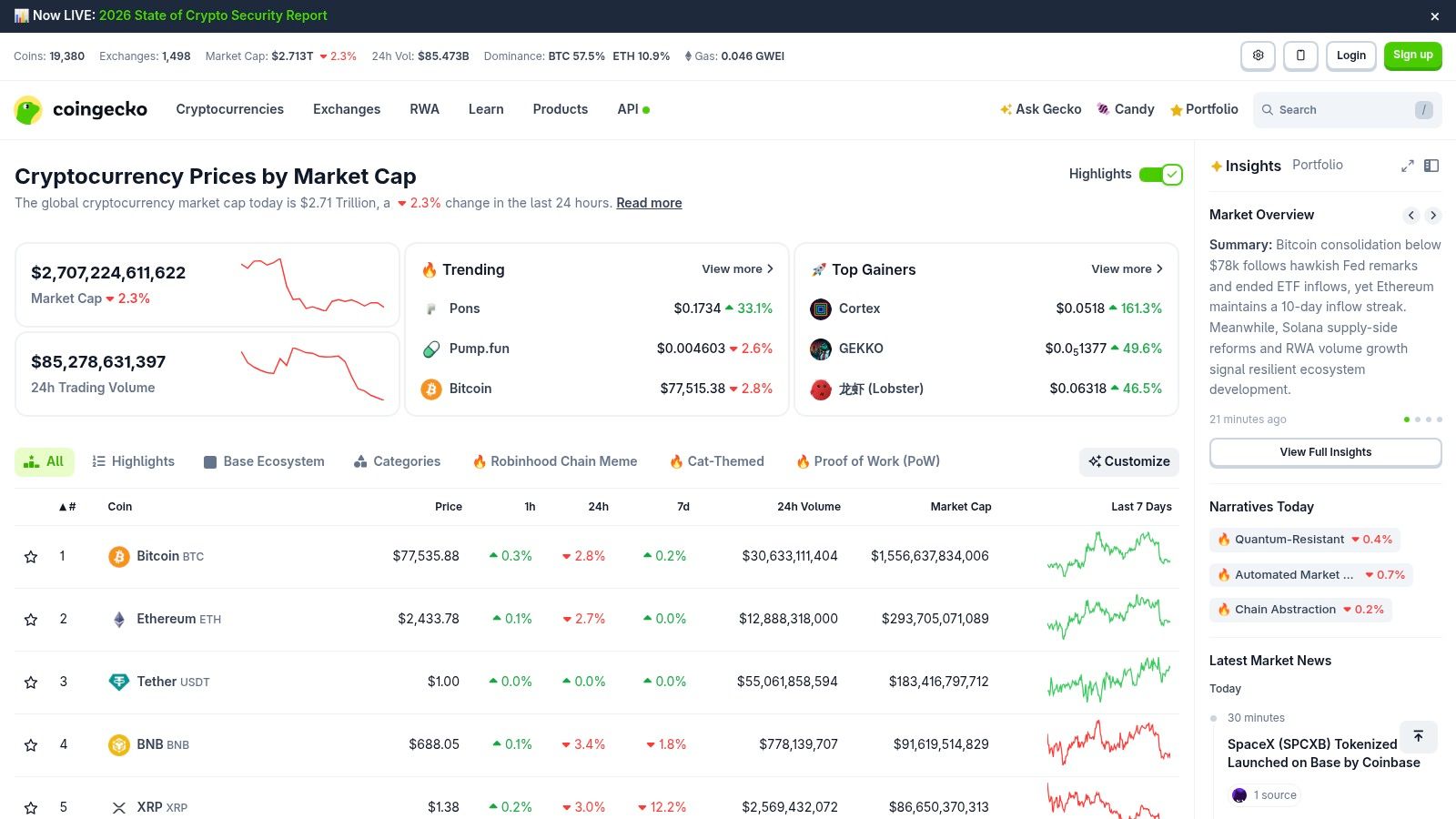
CoinGecko is a practical choice when screening begins with categories, chains, or broad market context. Its site supports category- and chain-level discovery alongside market capitalization, volume, and performance sorting. That structure helps researchers narrow a large asset universe before checking the specific venues where each asset trades.
GeckoTerminal serves a different purpose. It is designed around on-chain pools, pair activity, pool discovery, and DEX analytics. Users investigating newly active pools or chain-specific markets can use it to examine information that a conventional CEX asset list won't show. The result is a two-part workflow, CoinGecko for broad asset organization and GeckoTerminal for on-chain pair inspection.
Why venue context changes the output
CoinGecko's API explicitly provides centralized spot-exchange data, including tickers, volumes, and exchange metadata, making CEX organization a verifiable structure for symbol universes, as described on the CoinGecko API page. That information can help distinguish an asset's general market identity from the exchange-specific pair required for a charting list.
GeckoTerminal is optimized for on-chain pools, so CEX-only assets may need to be researched through the main CoinGecko site or another market-pair source. Advanced developer workflows may also depend on API access rather than only the web interface.
For TradingView users, the practical handoff is the key limitation. A generic asset list still needs pair selection, exchange-prefix formatting, and cleanup. A crypto pairs list workflow helps clarify that a ticker and a tradable symbol aren't interchangeable. TradingList can organize supported centralized-exchange universes, but it doesn't create or maintain DeFi watchlists.
Website: CoinGecko
4. Messari Terminal Screener
Messari Terminal is aimed at research-intensive users who need more context than price, volume, and technical indicators. Its screener combines quantitative fields with qualitative research areas such as narratives, mindshare, fundraising, diligence material, and event monitoring. That makes it better suited to analysts evaluating an asset's broader structure than to traders who only need a rapid list of moving pairs.
The platform's integrated research environment is its central advantage. A screening result can be examined alongside standardized diligence reports and event information, allowing users to ask why an asset belongs in a universe rather than only whether it has moved. Signals and Mindshare overlays add another research layer, although those fields should be interpreted as analytical context, not as trading instructions.
The access trade-off
Messari's current plan comparison distinguishes Basic from All Access Enterprise Individual. Basic provides view-only access to the Assets Screener, while the Enterprise plan provides full access with filtering and broader research tools. That access boundary can make the platform less practical for retail users or educators who need a lightweight screening tool.
API and Google Sheets connections are useful for teams that need repeatable research workflows. However, the output still may not be a ready-to-import TradingView universe. Research platforms generally identify assets and market information, while charting workflows require exact exchange and pair syntax.
Messari is the better choice when the screening question is research-heavy, such as organizing assets by narrative, diligence status, or event context. It isn't the most direct choice for exchange-specific watchlist construction, and it doesn't replace a symbol-normalization workflow.
Website: Messari
5. Santiment Sanbase Screener
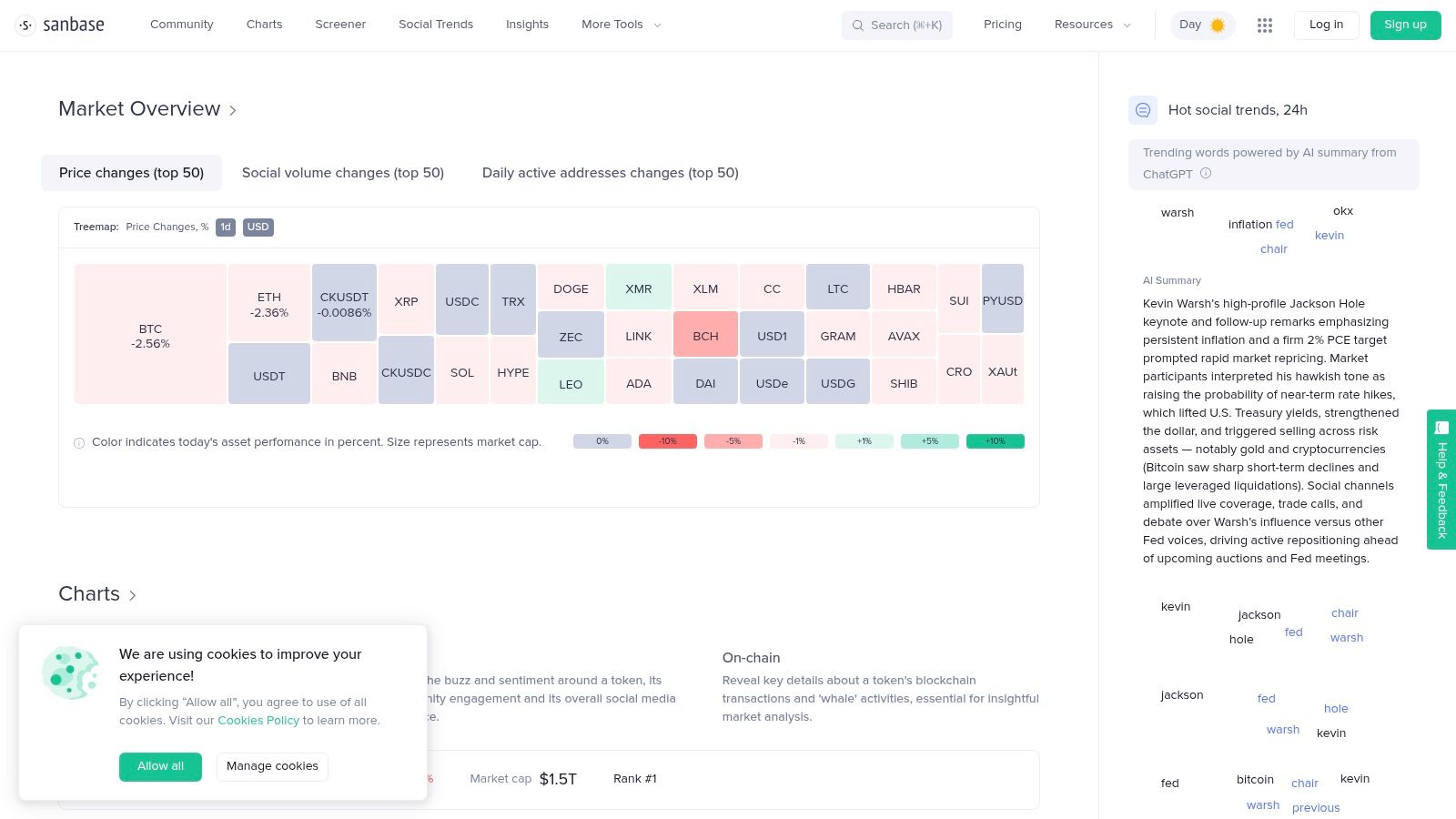
Santiment's Sanbase screener adds behavioral context to conventional market screening. Its interface combines market data with on-chain and social metrics, including wallet flows, developer activity, and social trends. That combination can help analysts investigate whether a market move is accompanied by changes in network behavior or attention.
The platform also connects screening with charts, watchlists, alerts, and a Google Sheets plugin. Those features support a research process in which users define a universe, inspect behavioral indicators, and monitor changes over time. Santiment is especially relevant when price and volume alone don't answer the question being investigated.
What the data layer changes
Sanbase is not just another momentum table. On-chain activity, social attention, and developer-related measures can change how an analyst interprets a candidate, but they don't automatically establish liquidity, exchange availability, or import compatibility. A Sanbase result therefore works best as a research input that receives separate venue and symbol validation.
Access is another consideration. The free tier offers limited screener access. Under Santiment's metric access rules, free metrics remain available with historical and real-time data, while restricted metrics carry a 30-day lag on the free plan. Web and API access also differ: Pro and Max provide full metric access in Sanbase, but the individual Free and Pro plans retain the lag for restricted API metrics; Max removes that API lag, subject to its historical-data limits, as detailed in the Sanbase plan documentation. The current pricing page also offers a 14-day free trial.
Santiment suits analysts who value behavioral and social metrics. It isn't a replacement for a CEX market-pair database, a DEX pair tracker, or a TradingView-compatible import process.
Website: Santiment Sanbase
6. DEX Screener
DEX Screener is built for on-chain pair discovery rather than centralized-exchange watchlist management. Its interface emphasizes new pairs, trending pairs, gainers and losers, chain selection, liquidity, transactions, volume, and pair age. That makes it useful for traders and researchers who need to inspect what is appearing or moving across decentralized markets.
The platform supports a wide range of blockchain environments, including Ethereum, BSC, Base, Solana, TON, Avalanche, and Arbitrum. Its multi-chart views, watchlists, alerts, customizable filters, and public API make it suitable for fast monitoring as well as programmatic pair discovery. The output is pair-oriented from the start, which is different from a market-cap screener that begins with a token identity.
DEX discovery isn't CEX screening
DEX Screener's strength is also its boundary. It doesn't provide the same centralized-listing context as CoinMarketCap or CoinGecko, and on-chain signals need validation through contract, holder, liquidity, and market-quality research. A pair that appears active on a DEX may not be appropriate for a centralized-exchange TradingView watchlist.
The tool can still contribute to a broader workflow. Analysts may use DEX Screener to discover on-chain activity, then use another source to establish asset identity and venue availability. TradingView users who study order-flow concepts can also find educational context in this cumulative volume delta guide, but the guide doesn't turn DEX Screener output into a TradingView-compatible watchlist.
DEX Screener is the right fit for on-chain pair analysis, not for maintaining a clean CEX symbol universe.
Website: DEX Screener
7. Birdeye
Birdeye combines DEX screening with wallet and trade context. It became especially associated with Solana markets and now supports discovery across major EVM and non-EVM environments. Users can inspect tokens and pairs, select chains, review trending assets, and use tools such as Find Gems and Smart Money dashboards.
The platform's large-trade feeds and wallet tracking add a layer beyond raw price and volume. That can help researchers distinguish broad activity from activity associated with tracked wallets, although those signals still require independent due diligence. Birdeye is best understood as an on-chain analytics and screening platform, not as a source of guaranteed trade quality or investment conclusions.
Useful for custom scanners
Birdeye offers public documentation and API access, with WebSocket and REST endpoints for areas such as OHLCV, liquidity, transactions, and holders. Those interfaces can support custom scanners, research dashboards, and agent-based workflows, subject to the platform's quotas and data-plan rules. Higher usage and some advanced features require paid access.
The main limitation for TradingView users is the same one that affects other DEX-first tools. Birdeye's output often describes a chain-specific token or pool, while TradingView import requires a supported venue symbol in an exact format. A researcher may need to resolve the asset, select a centralized pair, and normalize the final symbol before adding it to a charting universe.
Birdeye is a strong option for wallet-aware on-chain discovery. It shouldn't be treated as a centralized-exchange watchlist provider or as a substitute for symbol cleanup.
Website: Birdeye
Top 7 Crypto Screeners Feature Comparison
| Platform | Implementation complexity | Resource requirements | Expected outcomes | Ideal use cases | Key advantages |
|---|---|---|---|---|---|
| TradingView Crypto Screeners (Crypto Coins + CEX Pairs + DEX Pairs) | Low for standard screeners; separate Pine Screener for custom indicators | Basic free access; paid plans for advanced alerts/limits | Fast chart-linked discovery for further chart and alert analysis | Traders already using TradingView for charting/alerts | Best-in-class charting, watchlists, shareable setups; separate Pine Screener |
| CoinMarketCap (Listings Filters + DexScan) | Low (UI) → Moderate for API use | Free site; Pro API paid for advanced features | Broad market coverage and liquidity context | Market-wide screening and programmatic/custom screener builds | Massive coverage, DexScan multi-chain discovery, API-first |
| CoinGecko (site filters) + GeckoTerminal (DEX tracker) | Low (CoinGecko) → Moderate (GeckoTerminal analytics) | Free sites and public GeckoTerminal API; higher API limits via paid CoinGecko plans | Category-based discovery + deep on-chain DEX analytics | Combining CEX listings with DEX pool due diligence | Category/chain filters, security signals, Mega Filter |
| Messari Terminal Screener | Moderate–High, research-oriented workflows | Basic view-only access; Enterprise for full filtering; API access varies by package | Research-grade, diligence-ready screening and alerts | Institutional research, funds, compliance teams | Rich qualitative metrics, integrated research and reports |
| Santiment (Sanbase) Screener | Moderate, metric-rich interface | Limited free access; 14-day trial; Pro/Max for full screener access; API restrictions differ | Behavioral and social signals to complement price screens | Analysts needing social/on-chain behavioral context | Extensive social/on-chain metrics; Google Sheets plugin |
| DEX Screener | Low, trader-focused UI | Free; public API available | Real-time discovery of trending on-chain pairs | Active DeFi/memecoin traders and on-chain scanners | Fast multi-chain coverage, new-pair discovery, trader filters |
| Birdeye | Moderate, developer-friendly with APIs | Free API tier; quotas and paid plans for heavy use | Wallet-aware token/pair discovery and programmatic feeds | Developers building custom screeners and Smart Money tracking | Smart Money wallet tracking, WebSocket/REST APIs, cross-chain data |
Choose the Screener That Fits Your Symbol Workflow
The best crypto screener depends on where the workflow begins and what the output needs to become. TradingView is the clearest choice for chart-linked coin and pair screening, with Crypto Coins, CEX Pairs, and DEX Pairs screeners alongside its chart, alert, and watchlist tools. Custom Pine Script screening is handled by the separate Pine Screener. CoinMarketCap and CoinGecko are better starting points for broad market, category, chain, and asset discovery. Messari fits research-heavy institutional work, while Santiment adds behavioral, on-chain, and social context.
DEX Screener and Birdeye serve a different layer. They're built for on-chain pair analysis, new-pool discovery, wallet context, and chain-specific activity. Their results can be valuable research inputs, but they don't automatically become centralized-exchange TradingView symbols. DEX-focused discovery should therefore remain separate from CEX watchlist construction.
A clean handoff requires explicit symbol discipline:
- Confirm the venue: Identify the centralized exchange or decentralized market represented by the result.
- Preserve pair syntax: Keep the
EXCHANGE:PAIRformat when the destination workflow requires a venue-specific TradingView symbol. - Normalize symbols: Resolve naming differences, duplicate tickers, pair conventions, and exchange prefixes before import.
- Remove unsupported entries: Exclude symbols that TradingView or the intended venue doesn't recognize.
- Test a small import: Validate a limited set before building a larger universe.
TradingView's own import requirements make formatting a mechanical issue, not a cosmetic preference. Its watchlist import uses a .txt file, and symbols must include the exchange prefix and be comma separated, according to the official TradingView watchlist import documentation. A documented TradingView crypto symbol workflow likewise emphasizes one naming convention per file, exchange-prefixed syntax, delimiter checks, and post-import coverage verification.
TradingList can support the organization stage for supported centralized-exchange, market-cap, category, and ecosystem watchlists. Standard watchlists provide maintained universes, Custom crypto watchlists narrow supported market-cap, category, or ecosystem selections, ScreenerList builds symbol lists from market filters, DeltaList compares a reference watchlist with exchange or market variants, and FusionList combines several watchlists into an exportable configuration. Custom watchlist exports and full use of ScreenerList, DeltaList, and FusionList require TradingList Premium; limited previews are distinct from full access. These tools organize symbols and export configurations, but they don't replace TradingView, market research, DEX due diligence, or investment judgment. Coverage, pricing, listing status, delistings, and symbol availability should be verified before publication or use.
TradingList provides TradingView-compatible watchlists organized by supported centralized exchange, market capitalization, category, and ecosystem, with formatting designed for import and a daily refresh cycle when source data is available. Researchers and advanced TradingView users with TradingList Premium can use ScreenerList, DeltaList, and FusionList to create, compare, and combine symbol universes before screening. Visit TradingList to build a cleaner starting universe for the crypto screener workflow.